


Gate for AI is a unified capability framework developed by Gate for AI agents. Under a unified architecture and interface standard, it fully integrates centralized exchange (CEX) trading, decentralized exchange (DEX) trading, wallet signature systems, real-time market intelligence, and on-chain data. This enables AI to directly access core exchange functions and interact with live markets.
Gate for AI is now compatible with major AI agent ecosystems. This guide demonstrates how to integrate Gate for AI into leading AI agent platforms.
Step 1: Go to the Gate for AI Homepage (https://www.gate.com/gate-for-ai-mcp-skills) and Learn About Gate MCP
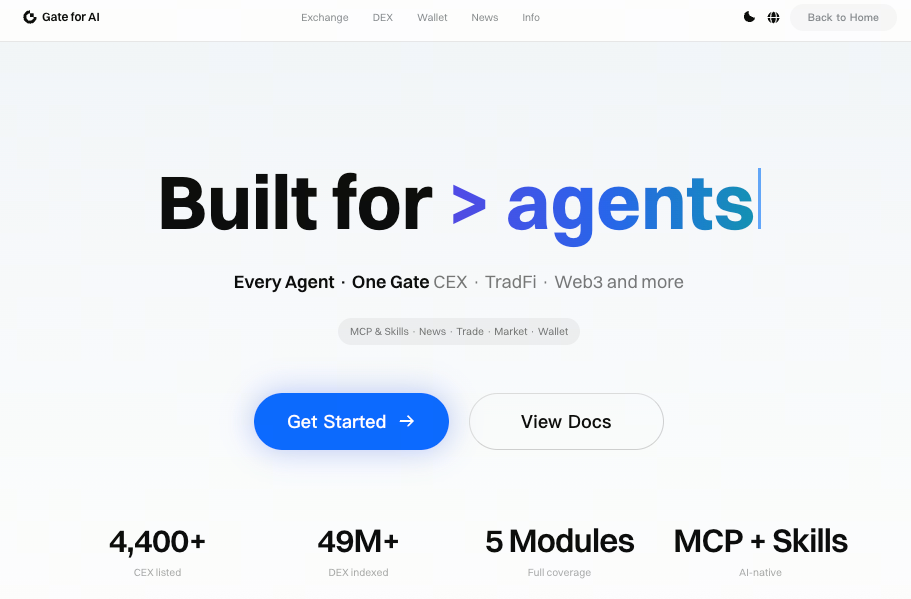
Step 2: Integrate with Major AI Agent Platforms
- OpenClaw
- Cursor
- Claude AI
- Claude CLI
- Codex App
- Codex CLI
Step 3: Enter Prompts to Access Gate for AI Services
Example prompts:
- Check the real-time price of a token.
- Show the top gainers and losers.
- Get the number of active on-chain addresses.
- Analyze the liquidity structure of a token.
- Generate a market sentiment overview.
1. Gate MCP × OpenClaw Integration Guide
Step 1: OpenClaw -> Skills, search "mcporter", enable
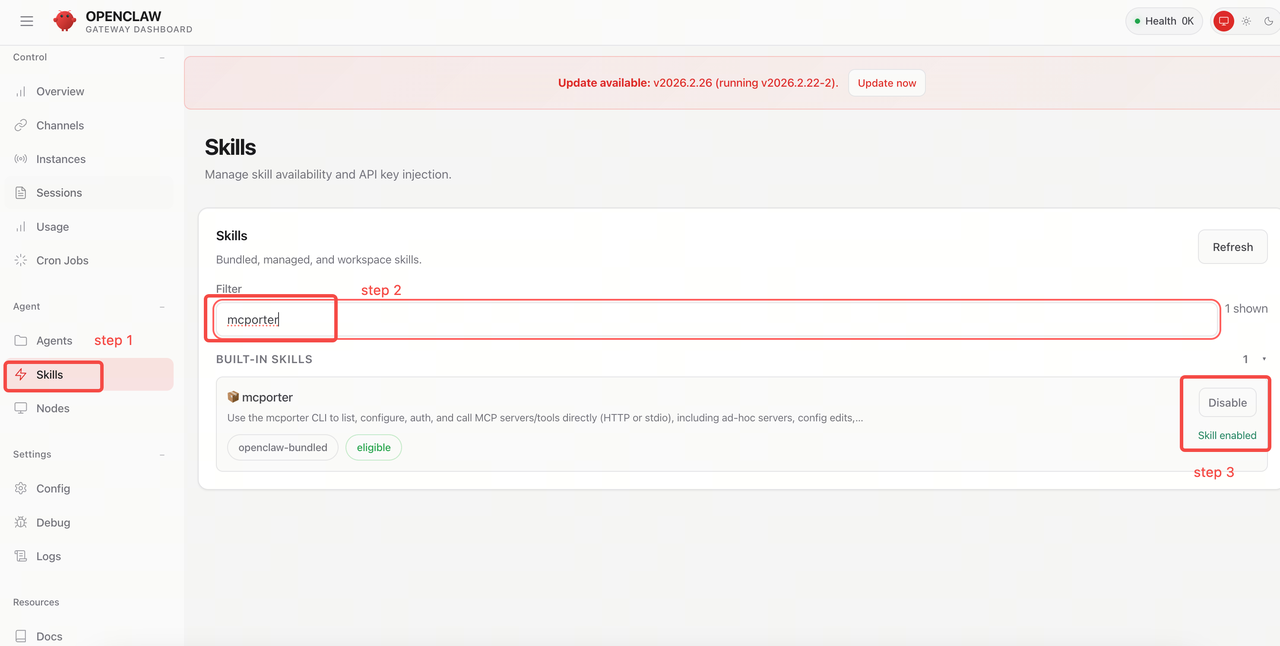
Step 2: Install mcporter locally
Run the following command in your terminal:
npm i -g mcporter # or npx mcporter --versionStep 3: Configure Gate MCP
Run the following command on the terminal:
mcporter config add gate https://api.gatemcp.ai/mcp --scope homeStep 4: Verify
Run the following command on the terminal:
mcporter config get gate mcporter list gate --schemaIf the tool list is returned successfully, the connection is established.
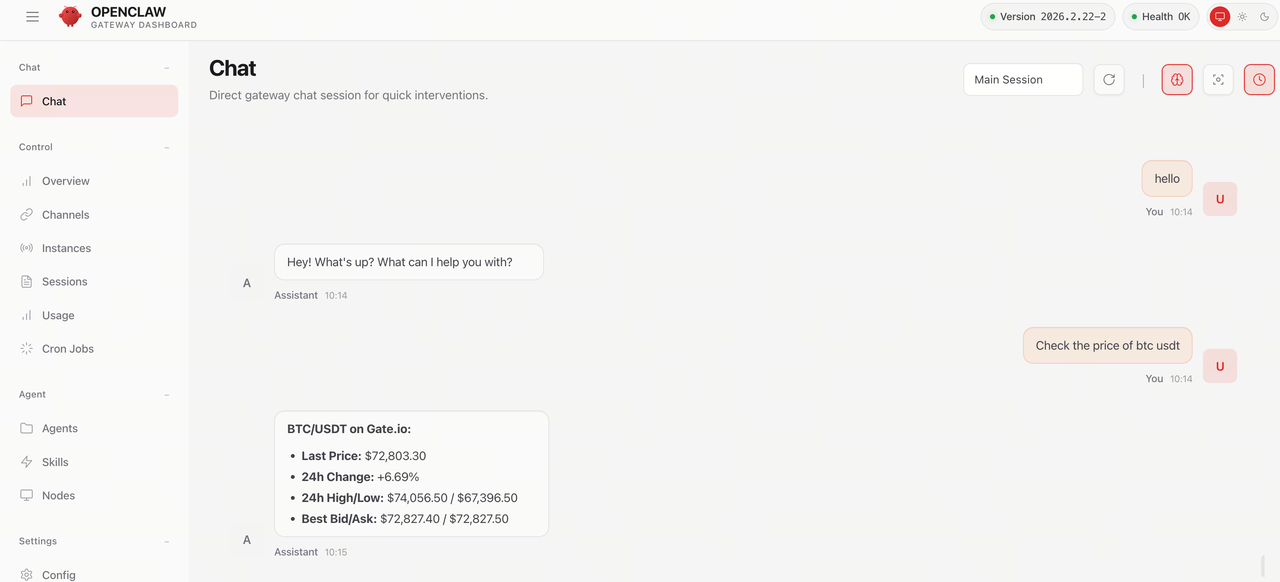
Step 5: Use MCP in OpenClaw AI chat
For example:
- Query BTC/USDT price
- Check if there are arbitrage opportunities on Gate
2. Gate MCP × Cursor Integration Guide
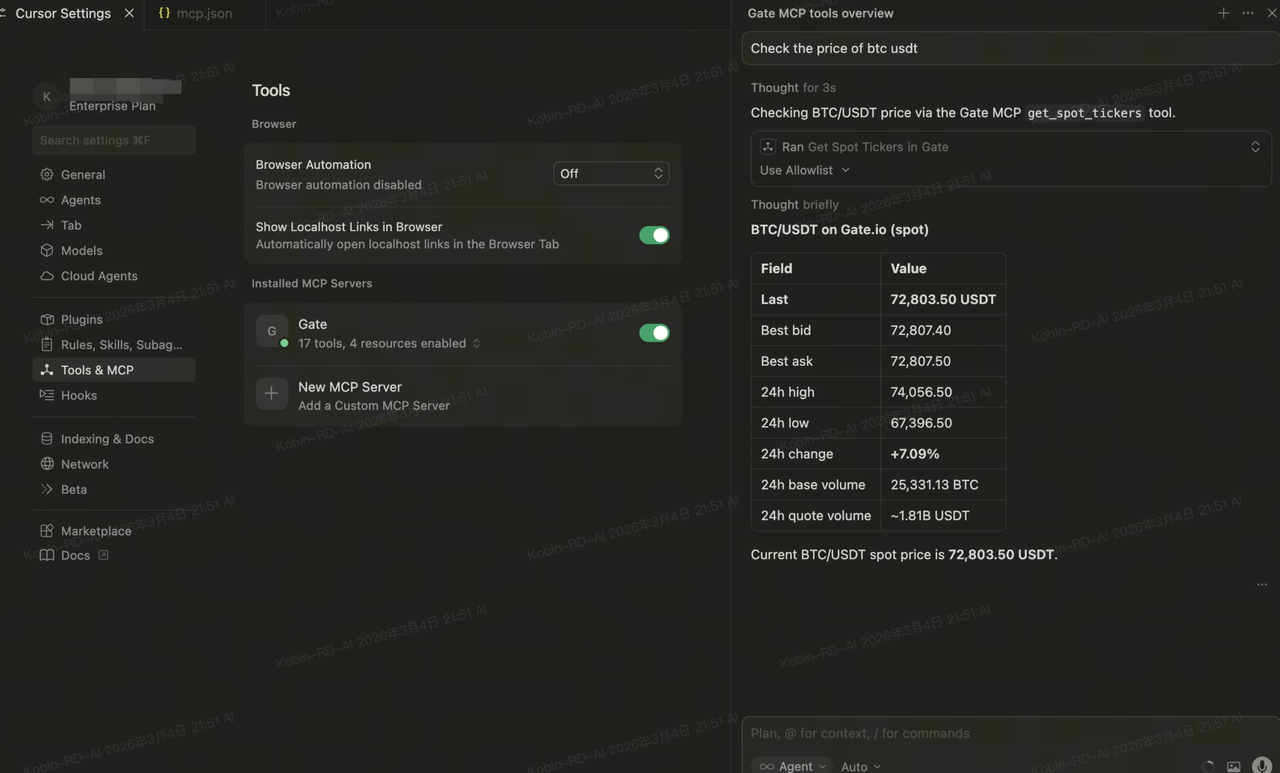
Step 1:Cursor Settings -> Tools & MCP -> Add Custom MCP
Cursor Integration Guide
Step 1: Go to Cursor Settings → Tools & MCP → Add Custom MCP
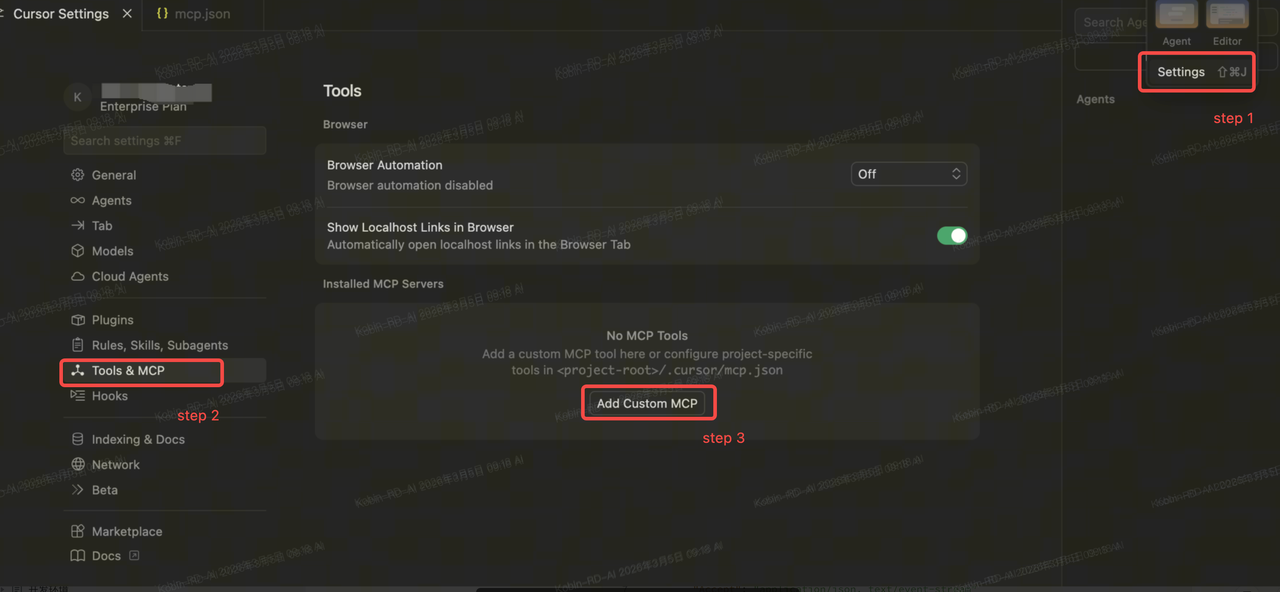
Step 2: Edit mcp.json
{ "mcpServers": { "Gate": { "url": "https://api.gatemcp.ai/mcp", "transport": "streamable-http", "headers": { "Accept": "application/json, text/event-stream" } } } }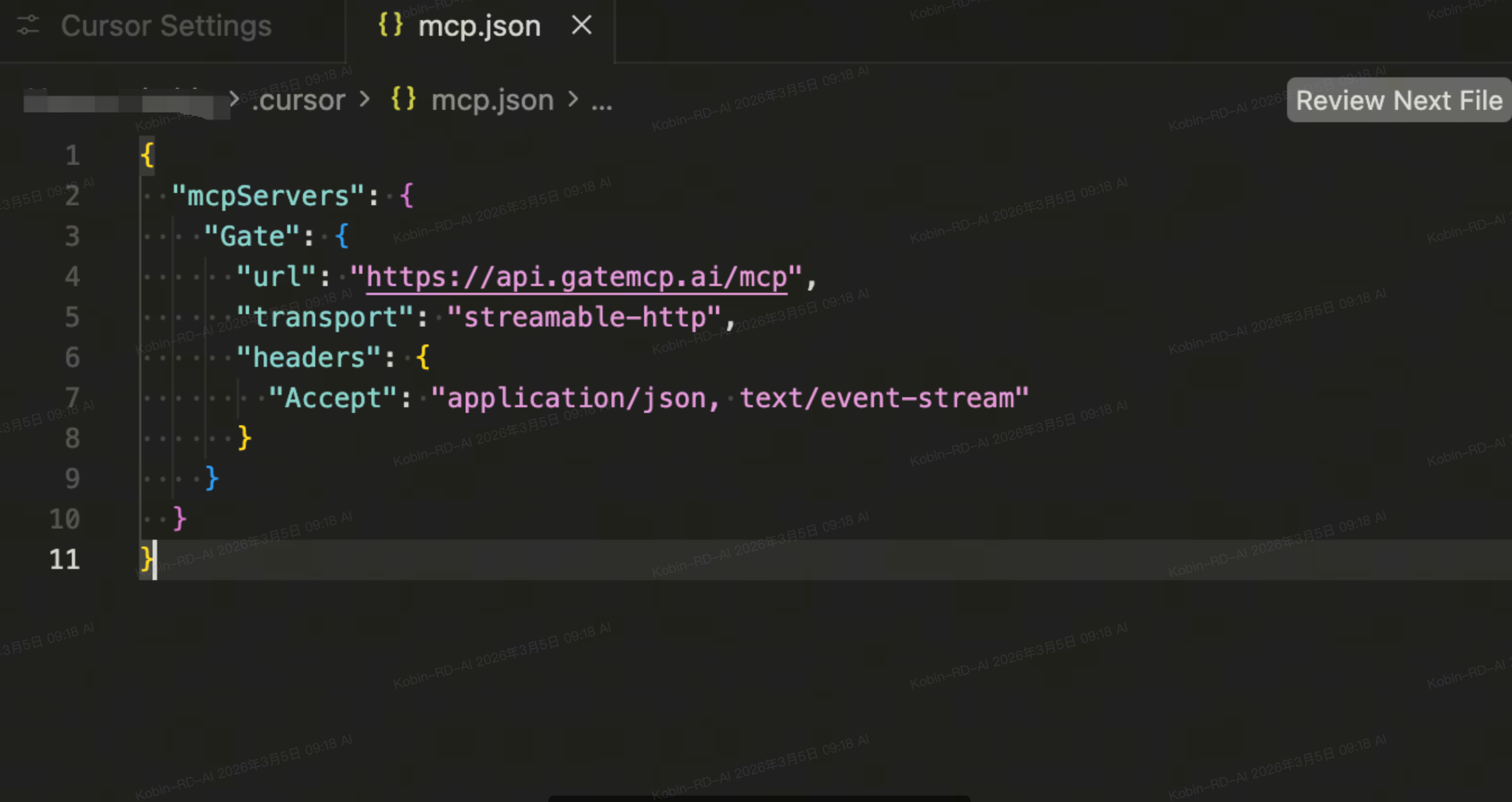
Step 3: Use MCP in Cursor AI chat
For example:
- Query BTC/USDT price
- Check if there are arbitrage opportunities on Gate
3. Gate MCP × Claude.ai Integration Guide
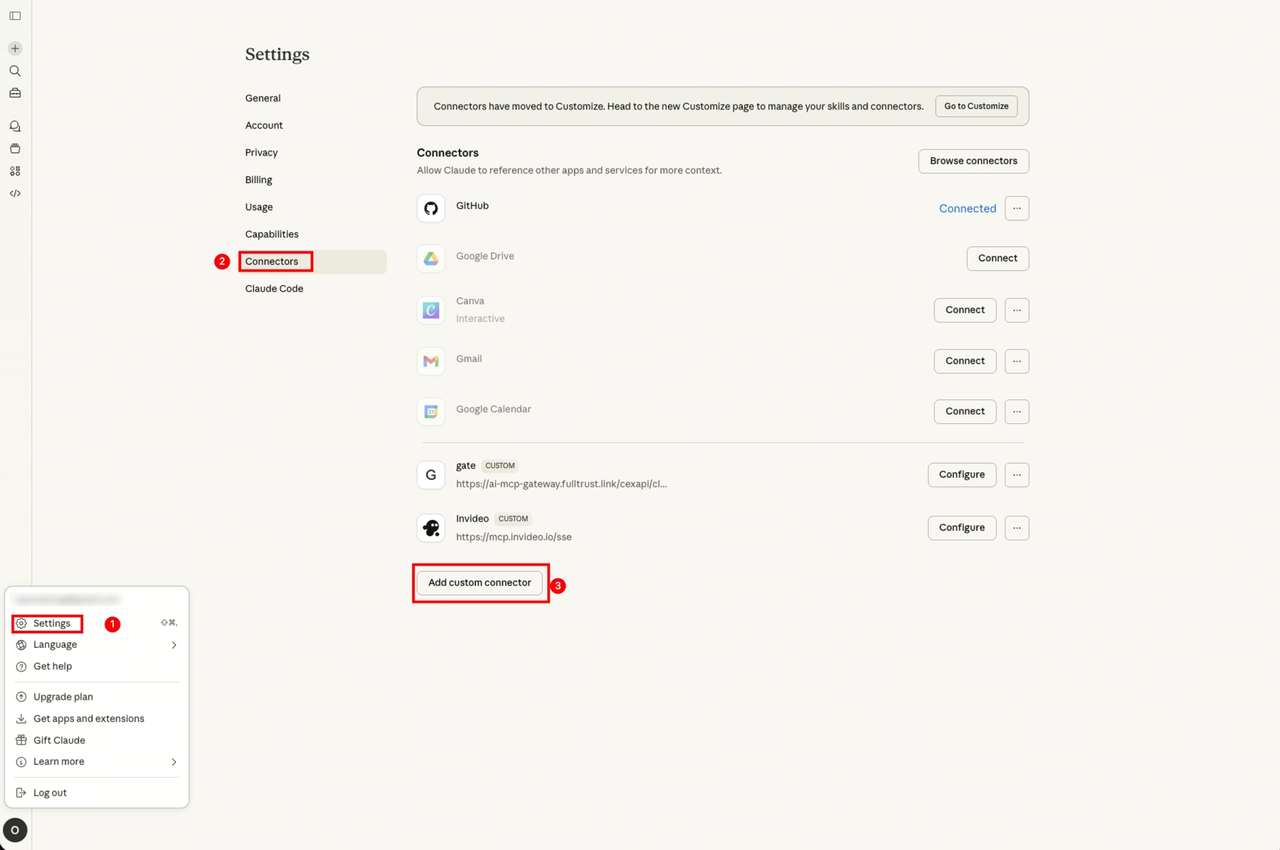
Step 1: Add a custom connector
Go to Settings → Connectors → Add custom connector
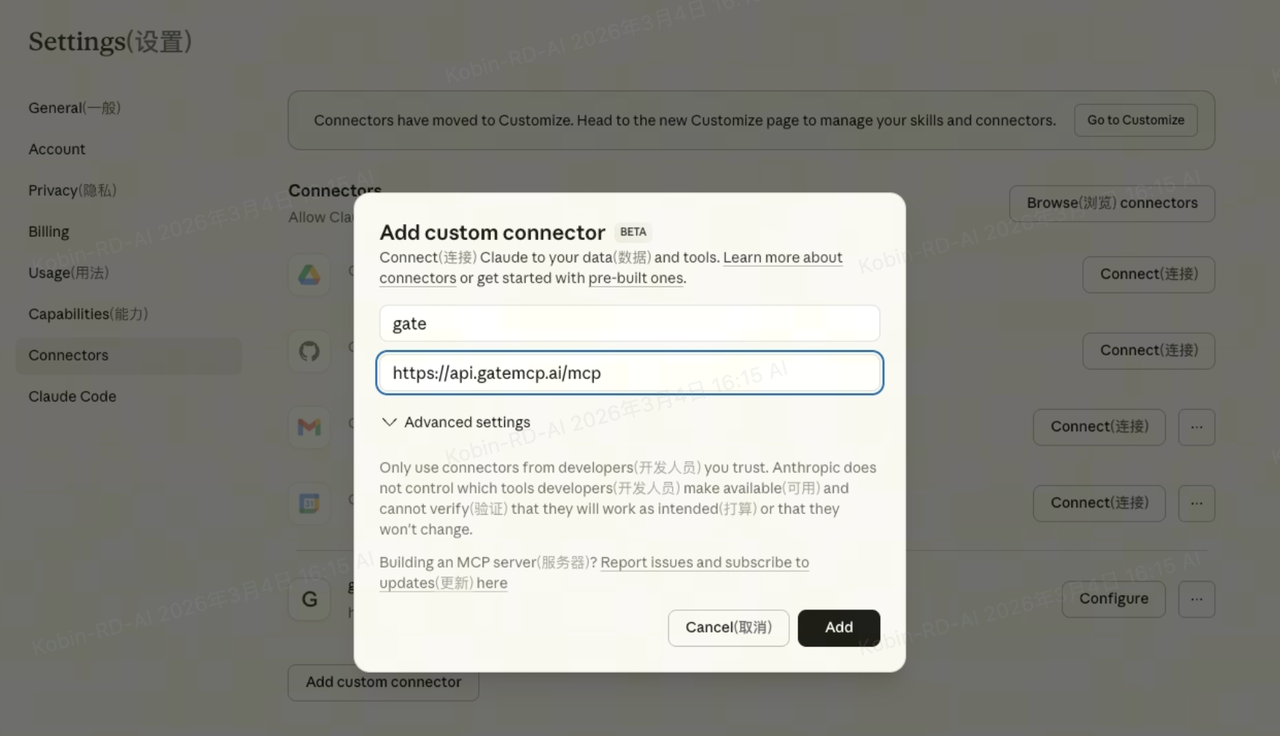
Step 2: Configure the custom connector
Fill in the following information:
- name: gate
- url: https://api.gatemcp.ai/mcp
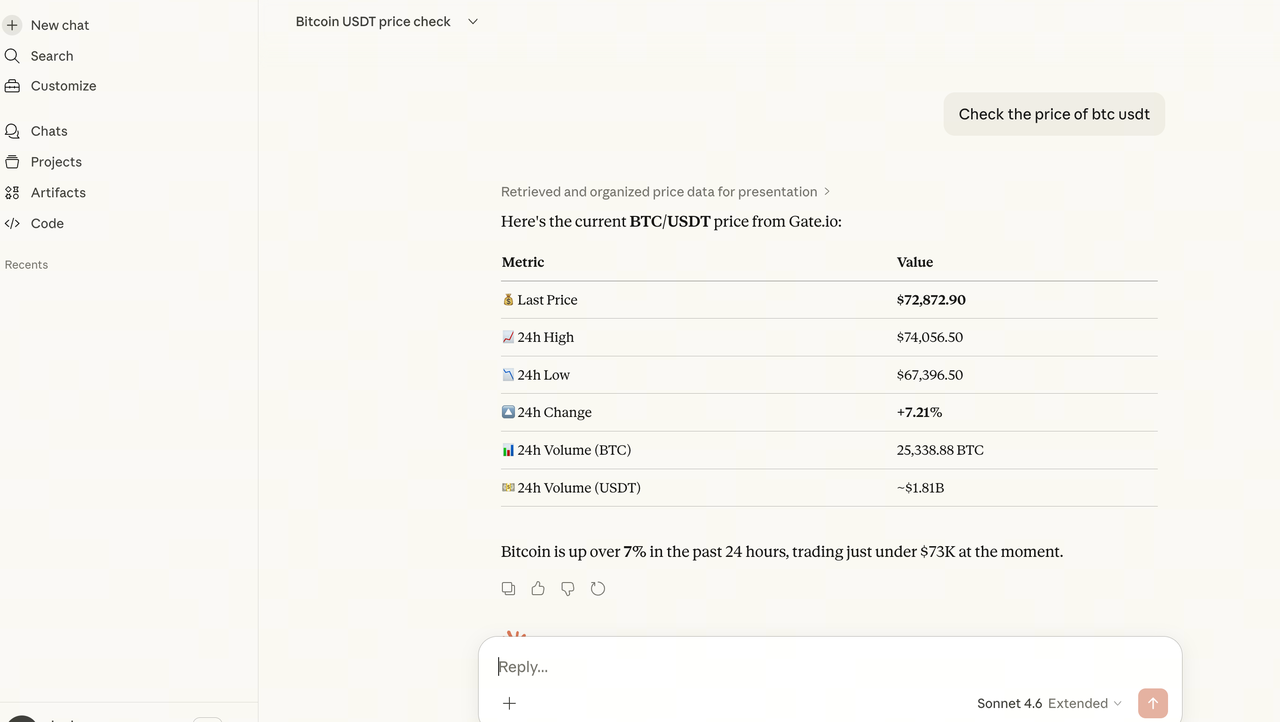
Step 3: Use MCP in Claude.ai chat
For example:
- Query BTC/USDT price
- Check if there are arbitrage opportunities on Gate
4. Gate MCP × Claude CLI Integration Guide
Step 1: Install ClaudeCode
Reference documentation: https://code.claude.com/docs/en/overview
Run the following command in your terminal:
brew install claude-codeStep 2: Configure Gate MCP
Run the following command in your terminal:
claude mcp add --transport http Gate https://api.gatemcp.ai/mcp
Step 3: Verify configuration
Run in your terminal:
claude mcp list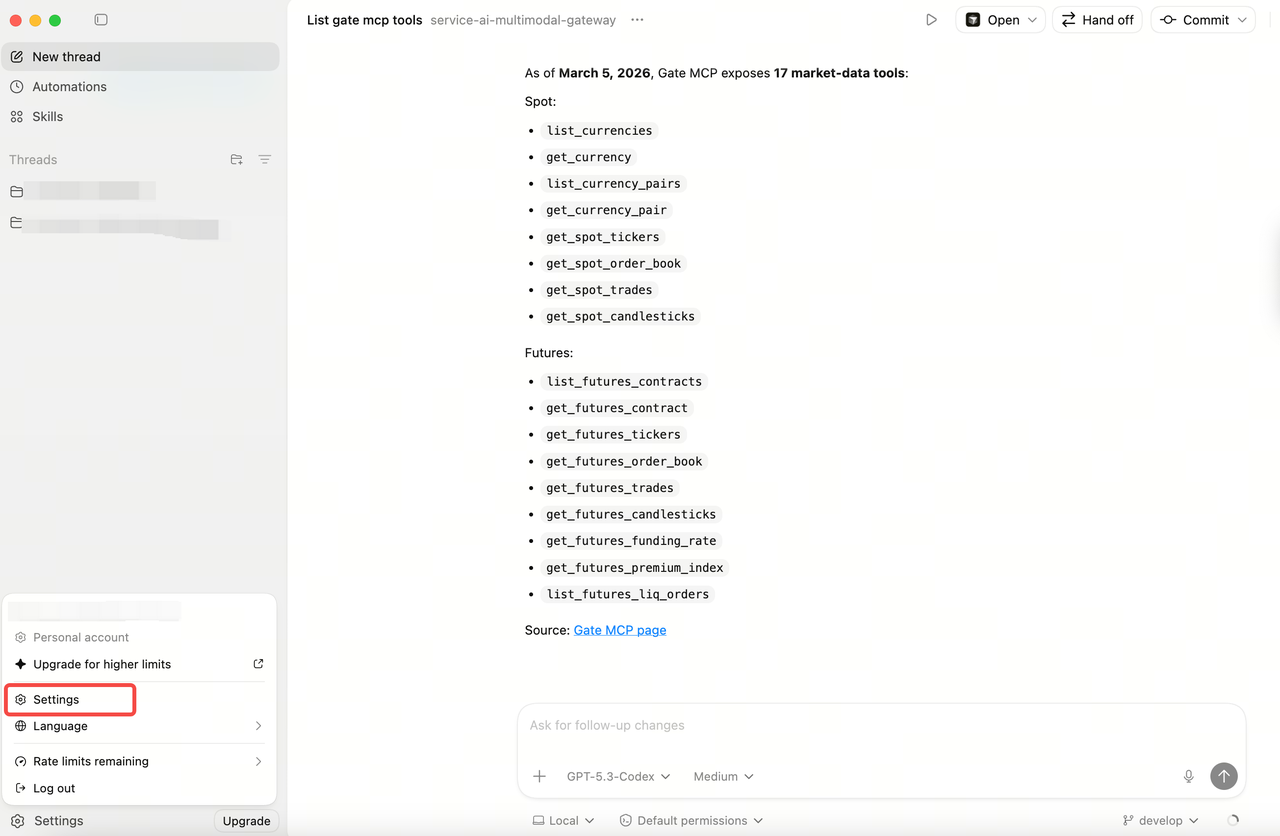
Step 4: Use MCP in Claude CLI AI chat
For example:
- Query BTC/USDT price
- Check if there are arbitrage opportunities on Gate
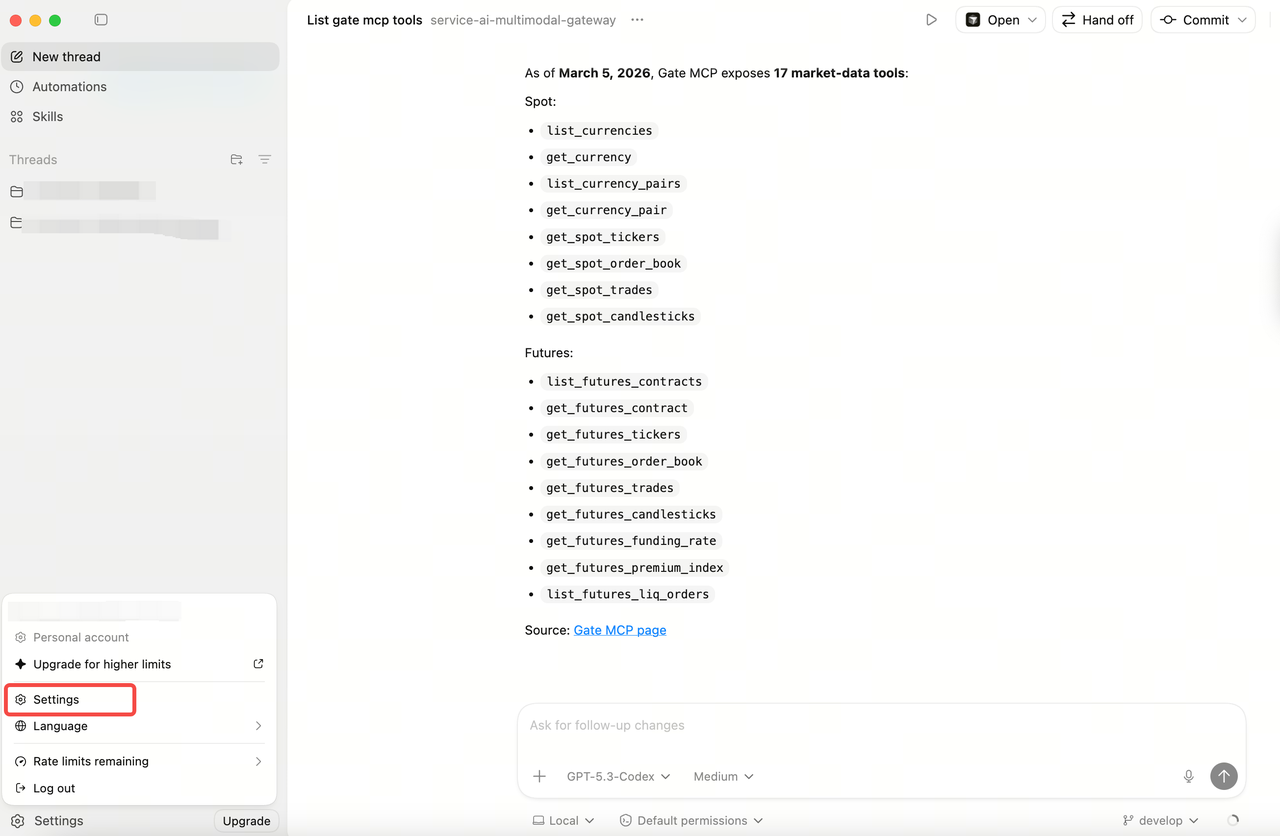
5. Gate MCP × Codex App Integration Guide
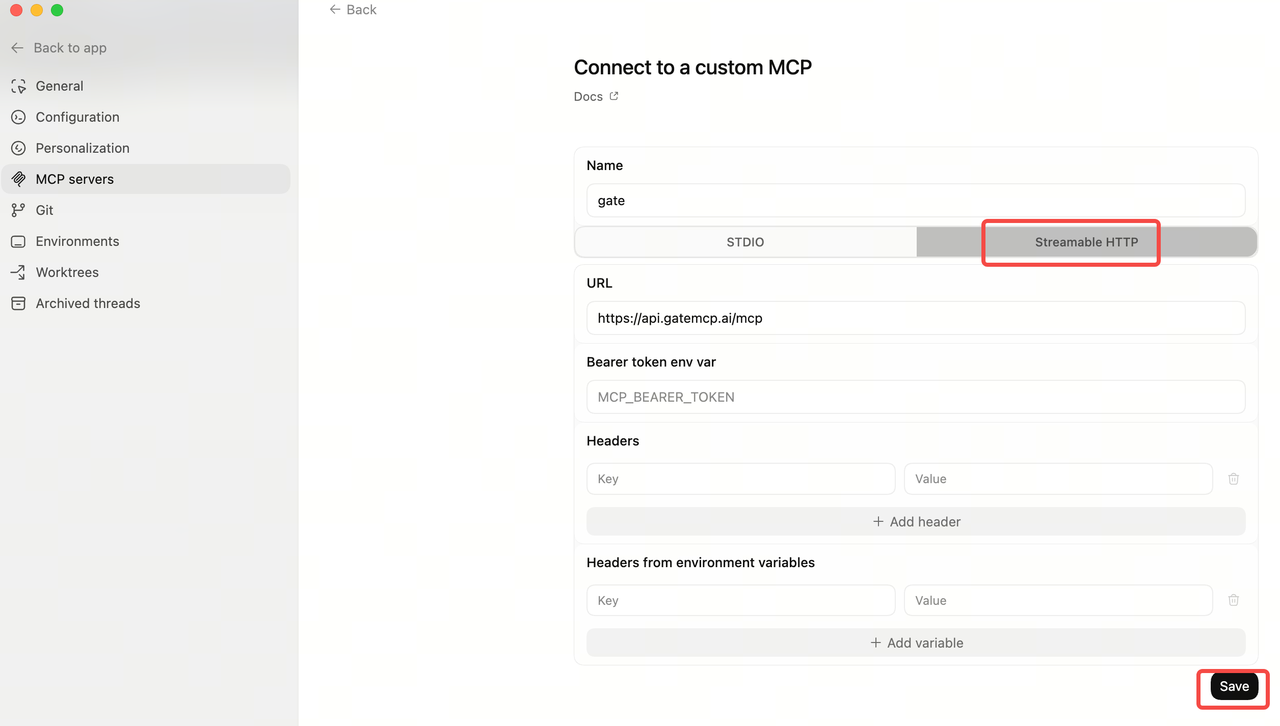
Step 1: Go to Settings
Step 2: MCP Servers → Add server
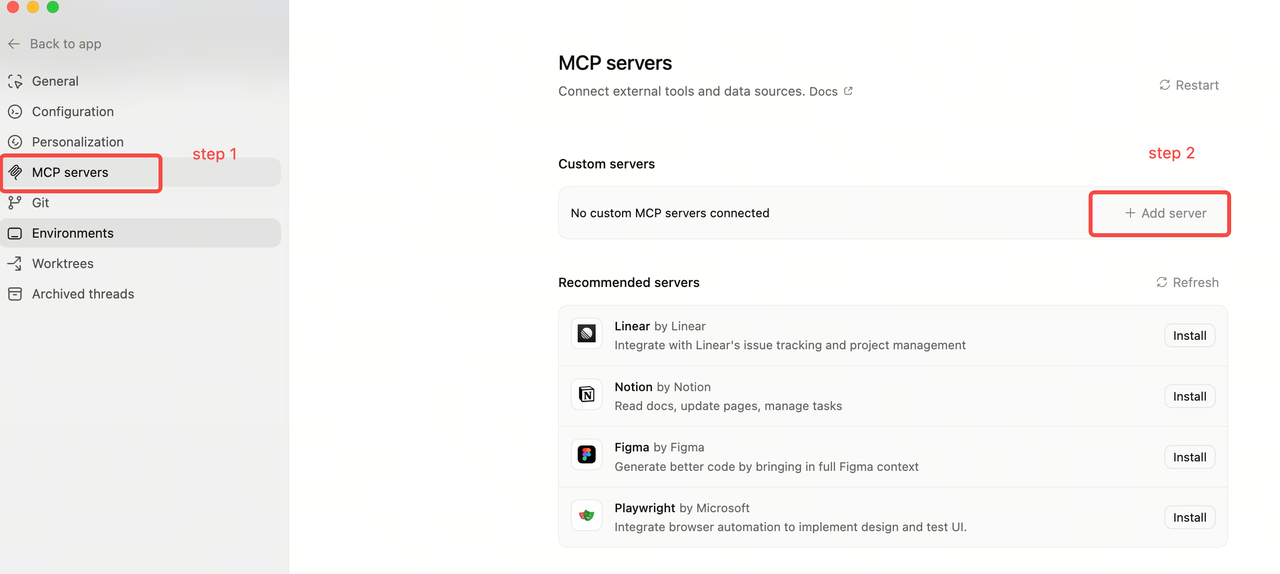
Step 3: Configure custom MCP and save
- Name: gate
- URL: https://api.gatemcp.ai/mcp
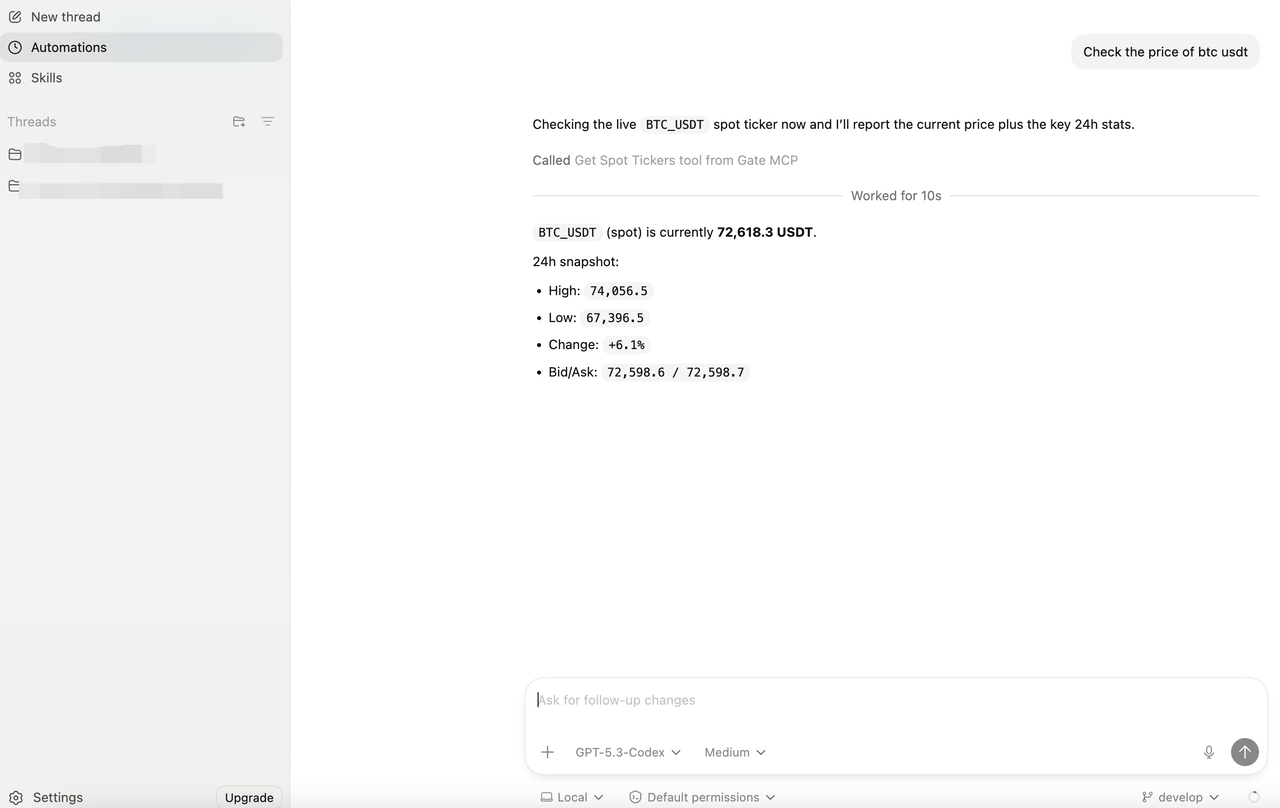
Step 4: Use MCP in Codex App AI chat
For example:
- Query BTC/USDT price
- Check if there are arbitrage opportunities on Gate
6. Gate MCP × Codex CLI Integration Guide
Step 1: Configure Gate MCP
Run in your terminal:
codex mcp add gate --url <a href="https://ai-mcp-gateway.fulltrust.link/cexapi/claude/mcp" rel="nofollow noopener noreferrer" target="_blank">https://api.gatemcp.ai/mcp</a>
Step 2: Verify
Run in your terminal:
codex mcp list
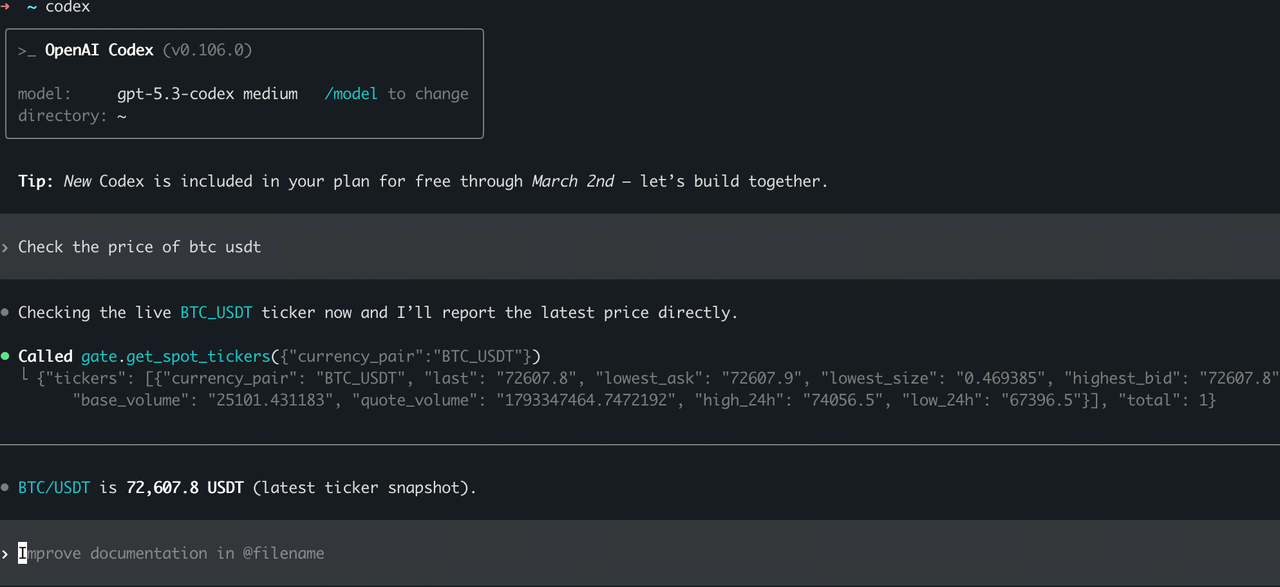
Step 3: Use MCP in Codex CLI AI chat
For example:
- Query BTC/USDT price
- Check if there are arbitrage opportunities on Gate
The content provided herein is for reference and educational purposes only and does not constitute any financial, investment, trading, or legal advice, nor does it constitute an offer or solicitation to buy or sell any digital assets. Gate makes no express or implied representations or warranties regarding the accuracy, completeness, or timeliness of the information contained herein. Product features, interfaces, rules, and fee structures may be updated or adjusted at any time. Please refer to the latest announcements and the actual information displayed on the Gate platform for the most accurate details.
Digital asset investments involve significant risk, and prices may fluctuate substantially. You may lose the entire amount of your investment. Please make decisions cautiously based on your own financial situation and risk tolerance after fully understanding the associated risks. If necessary, you are advised to consult an independent professional financial or legal advisor.
For more information about potential risks, please refer to Gate's Risk Disclosure and User Agreement.
