


In the event of a disagreement during a P2P trade, Gate P2P provides a standardized appeal process to help users resolve disputes in a timely and transparent manner. Whether you are buying or selling, the appeal procedure remains consistent across all order types. This guide outlines the steps to initiate an appeal, the necessary supporting materials, and important reminders to ensure a smooth resolution process.
How to File A Complaint on the Web
Step 1: To request platform assistance in resolving a P2P dispute, please visit the “P2P Orders” page. Locate the relevant order, then click to enter the order details page and select "Have questions?" to initiate the appeal process.
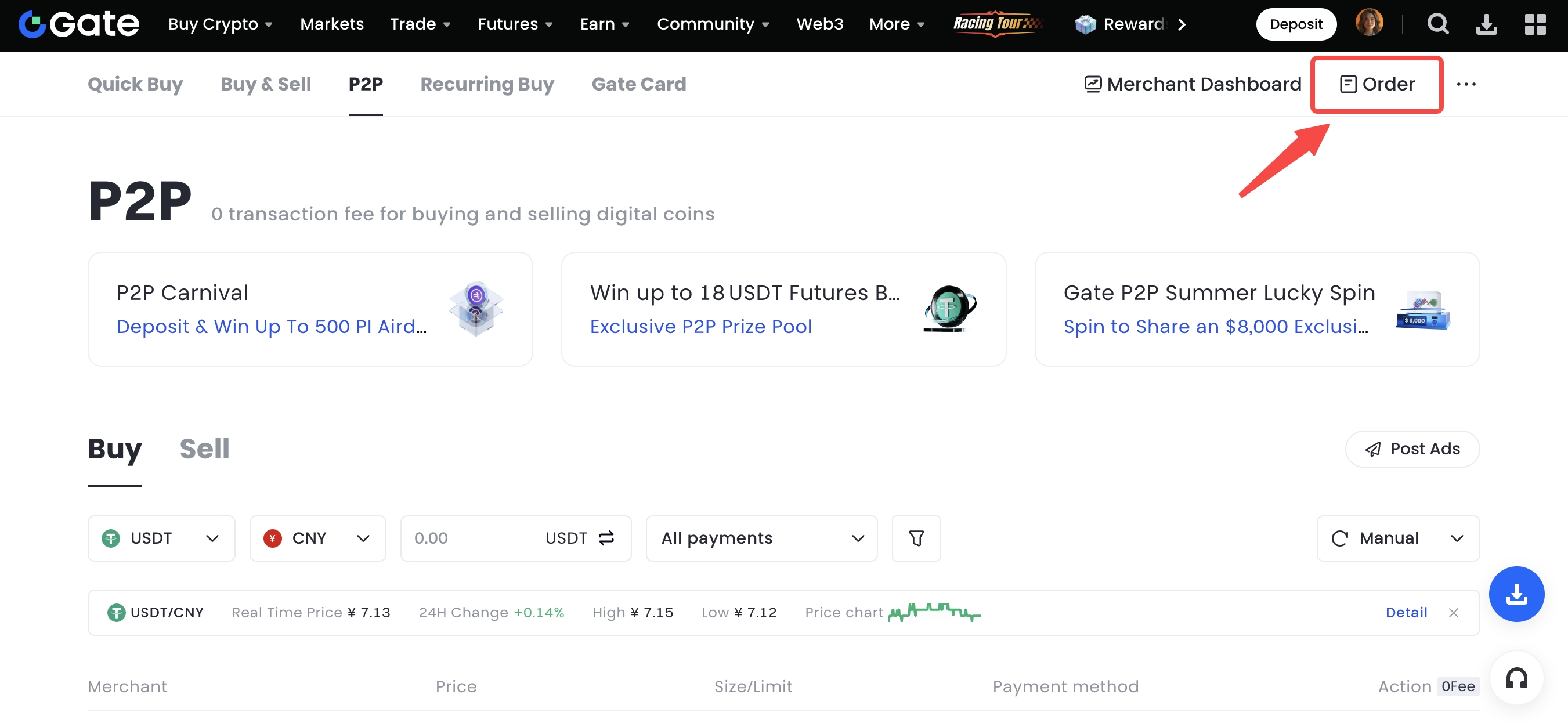
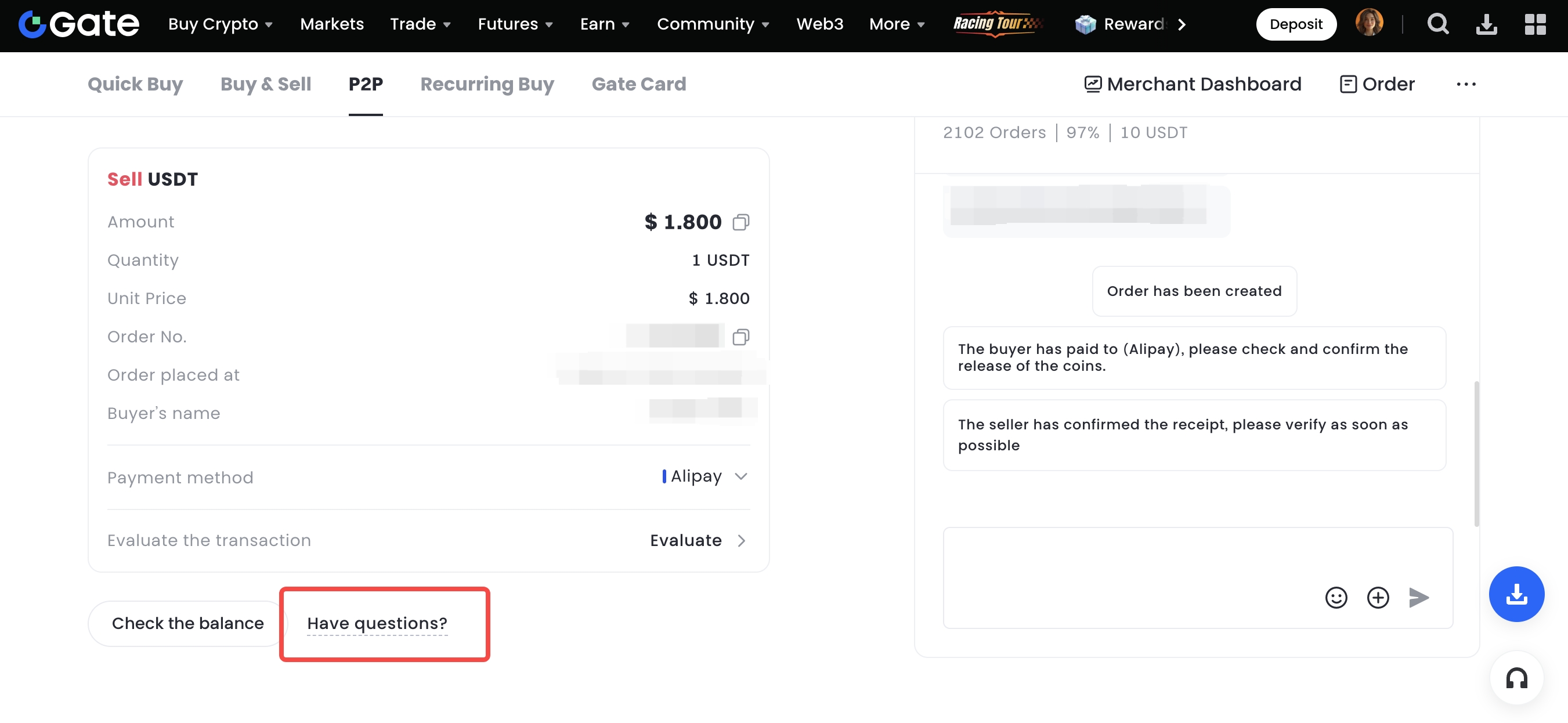
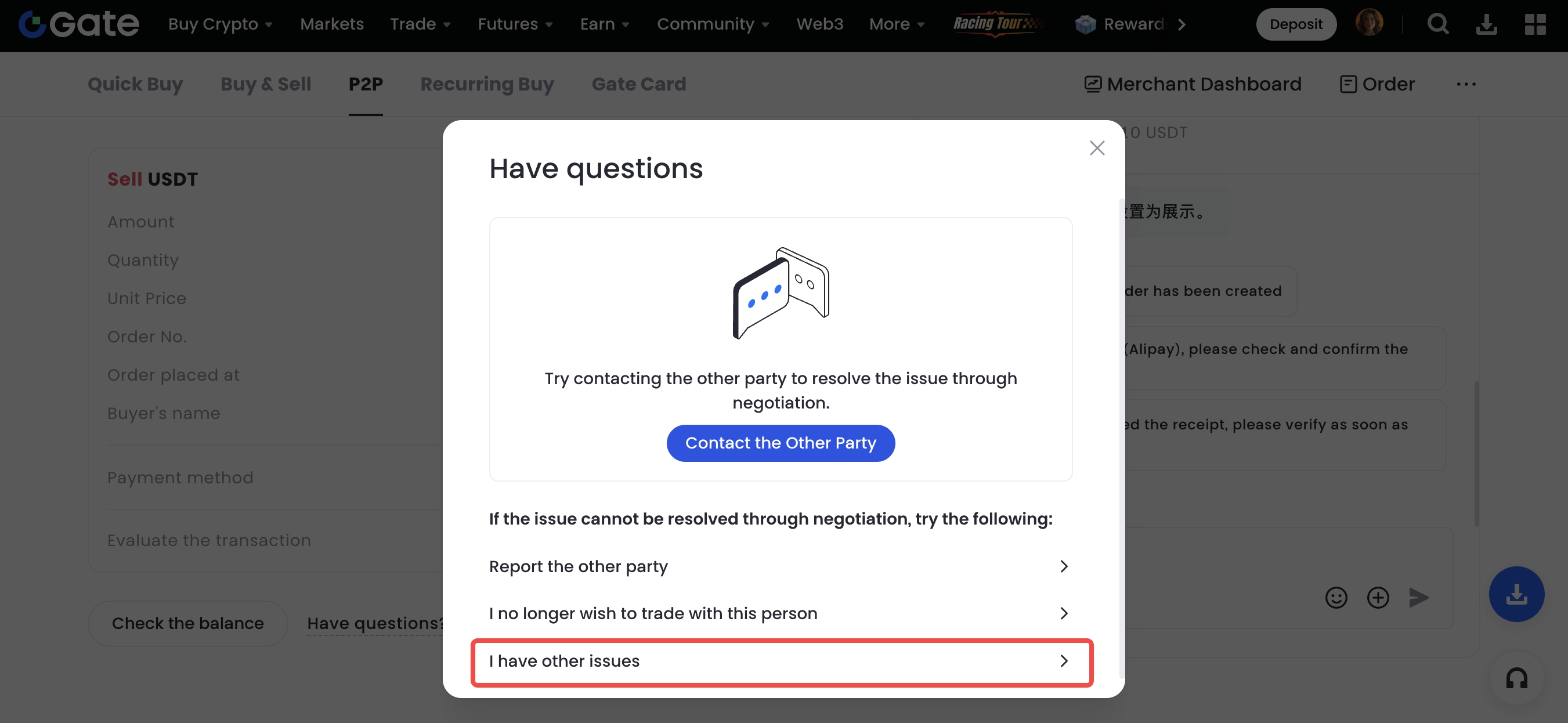
Step 2: On the following page, you will see several options based on the issue you’re facing:
- Contact the Other Party.
- Report the Other Party.
- I no longer wish to trade with this person.
If you require further assistance from the platform, please select “I Have Other Issues” to submit an appeal.
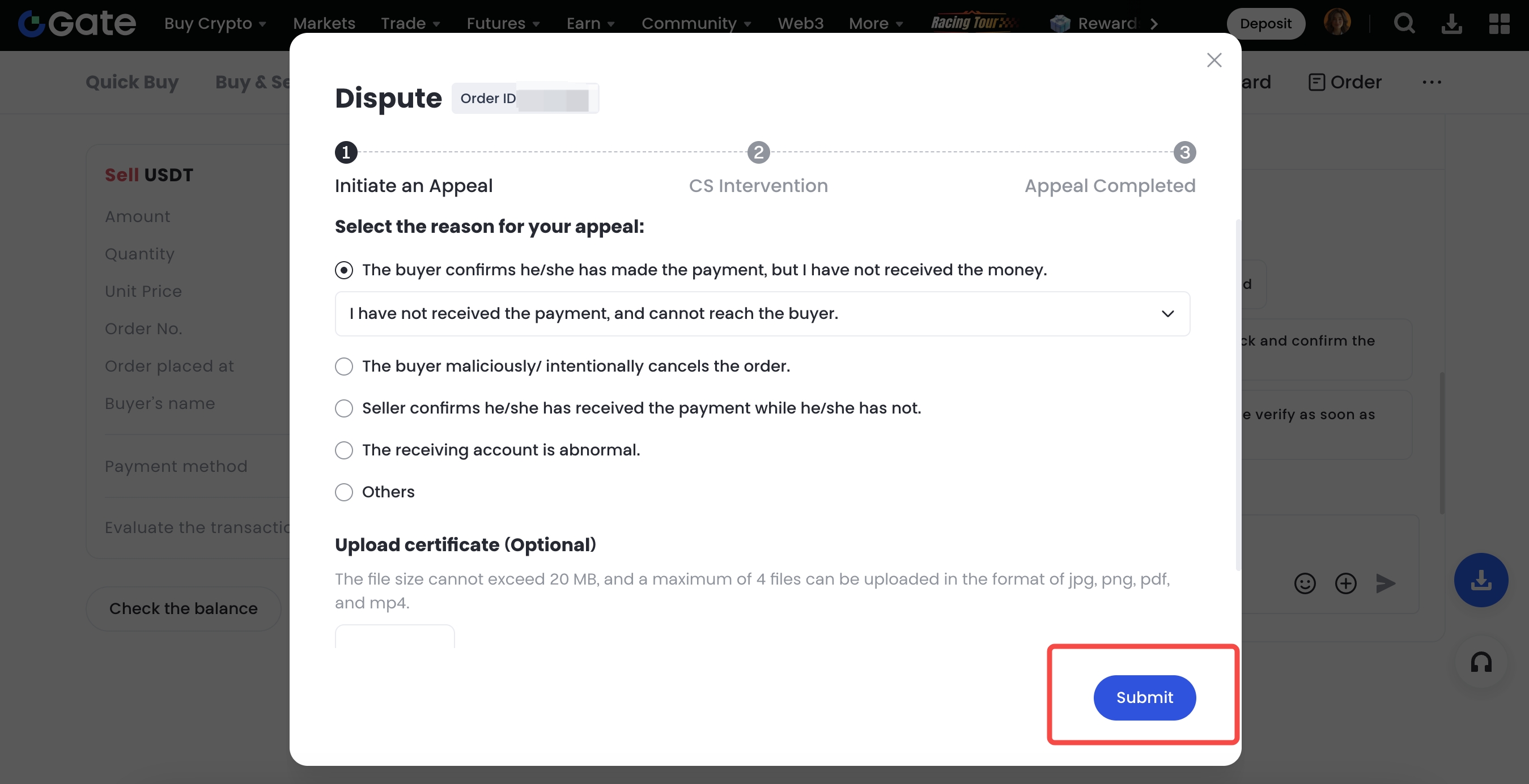
Step 3: On the appeal page, please select the appropriate reason for your appeal and upload supporting evidence (such as payment screenshots, chat records, etc.), then click “Submit”.
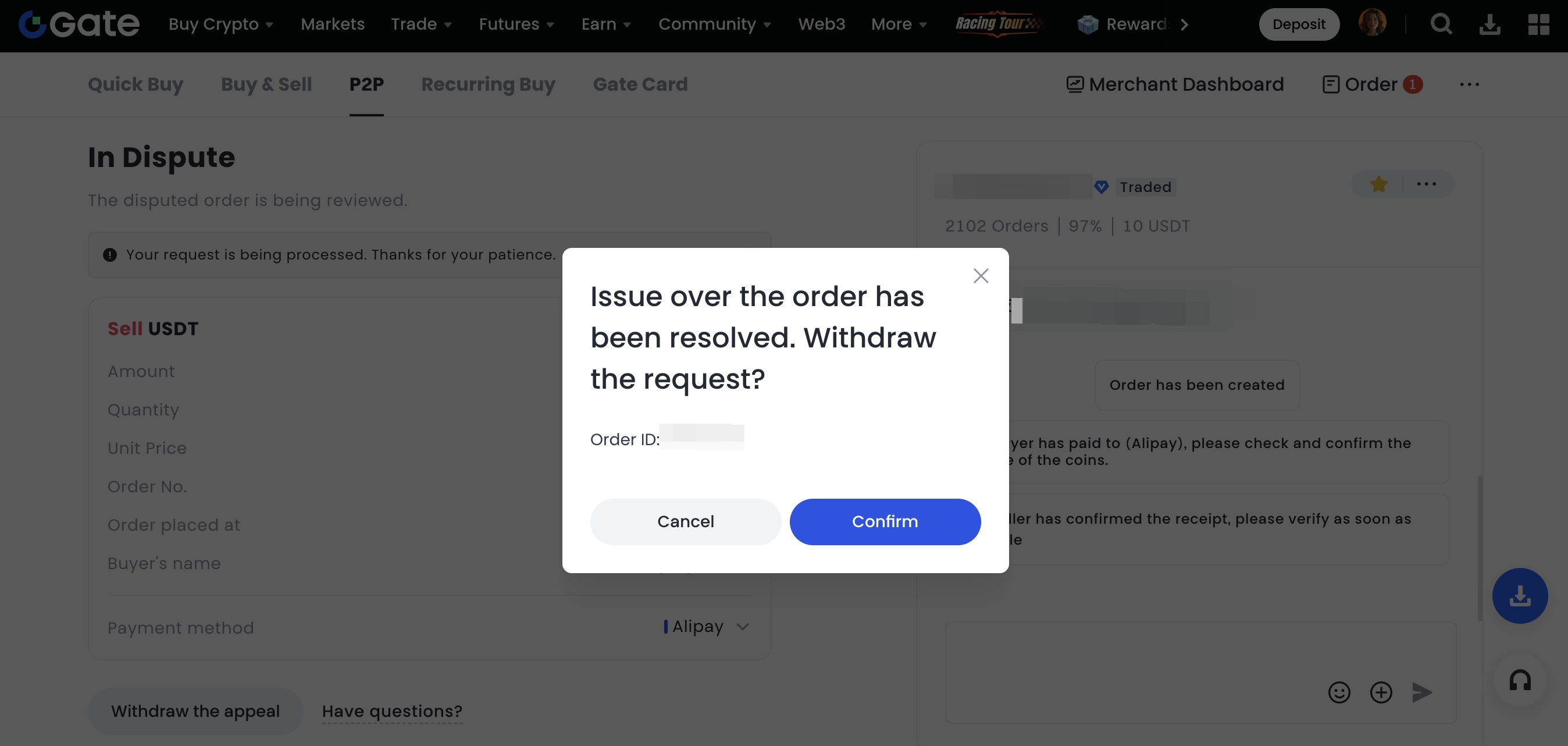
Step 4: After submitting, you can view the appeal status by navigating to the “Orders” page and selecting “In Dispute”. If the dispute has been resolved, you may also choose to cancel the appeal.
 ## How to File A Complaint on the App
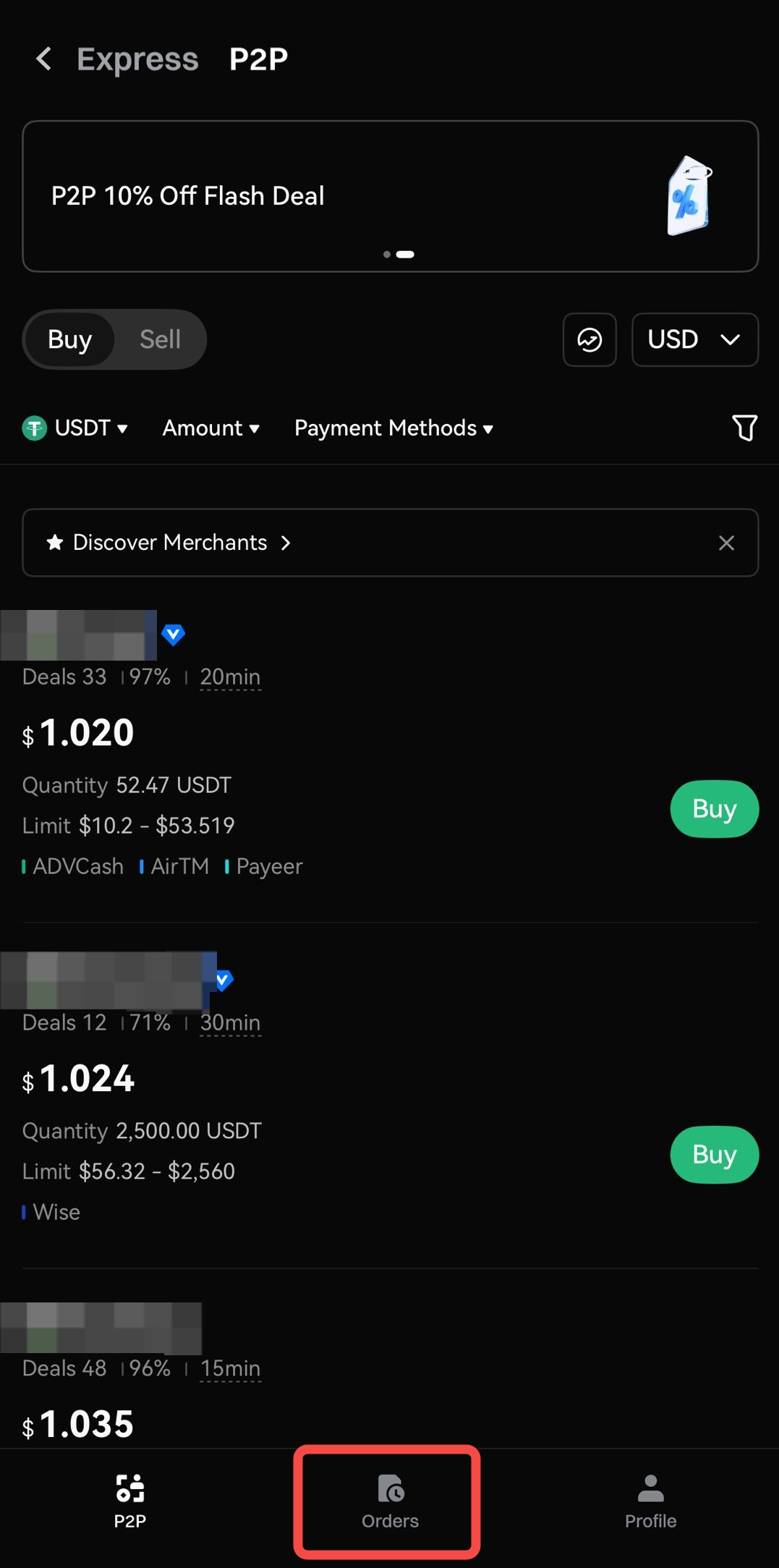
**Step 1:** On the P2P Trading page, go to the “Orders” section and locate the specific order.
## How to File A Complaint on the App
**Step 1:** On the P2P Trading page, go to the “Orders” section and locate the specific order.
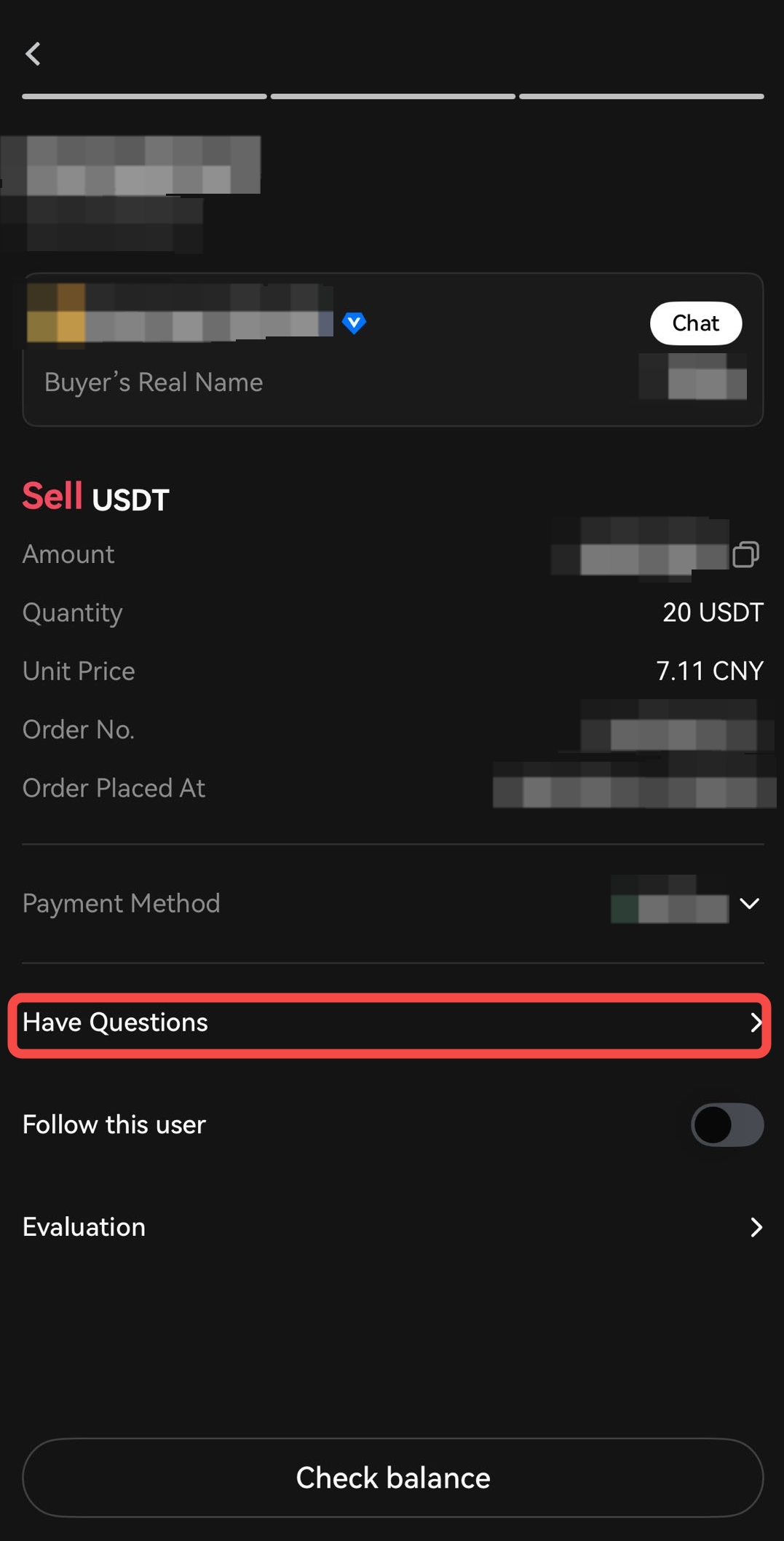
Step 2: Enter the order details page for the trade you wish to appeal, then click “Have Questions” to proceed.
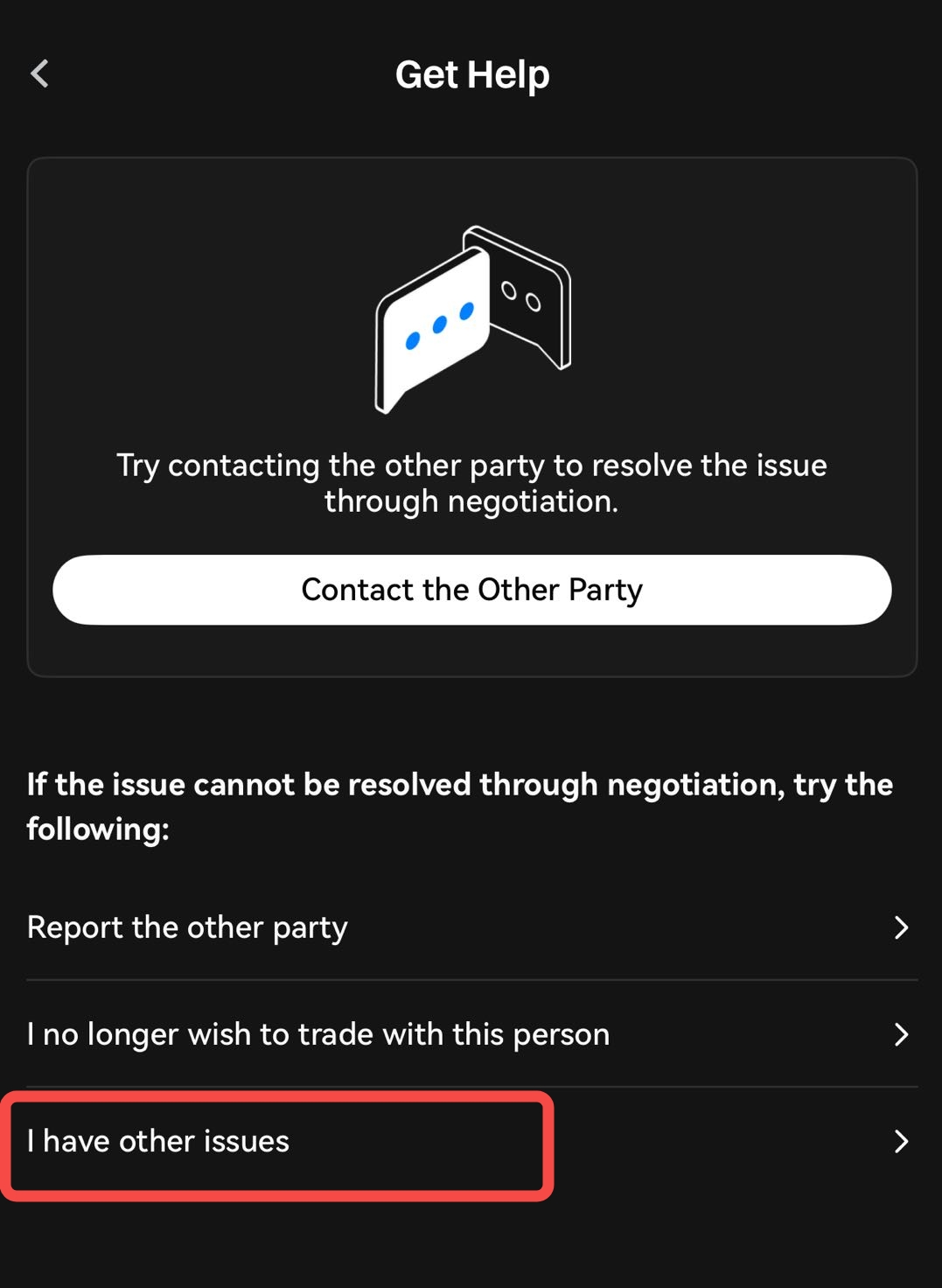
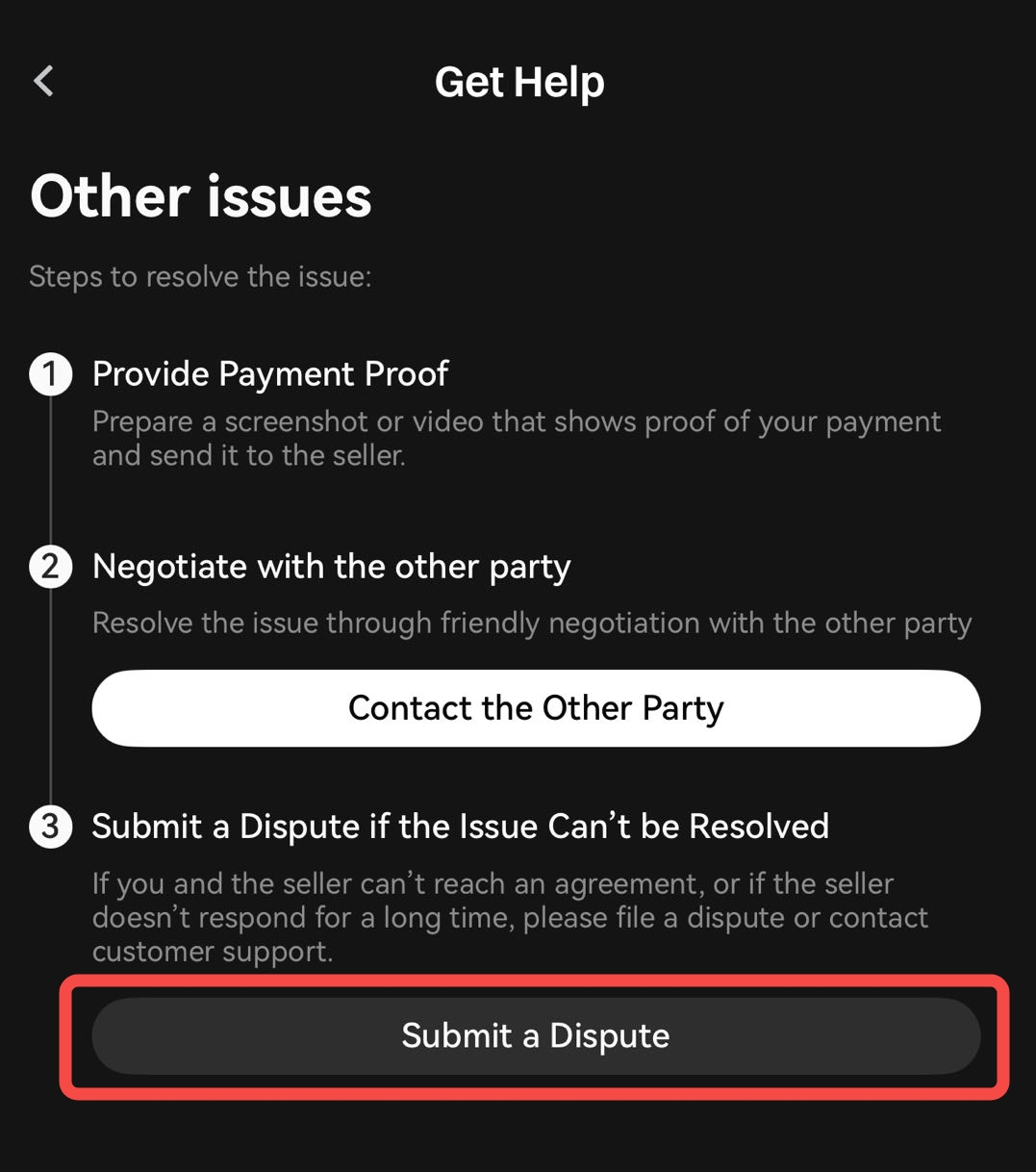
Step 3: On the “Get Help” page, select the appropriate option based on the situation:
- “Contact the Other Party”: Attempt to resolve the issue through direct communication.
- “Report the Other Party”: Use this option if the other party is engaging in malicious behavior.
- “I no longer with to trade with this person.”: Add the user to your blocklist to avoid future trades.
If you require assistance from the platform, select “I have other issues” to initiate an official appeal.
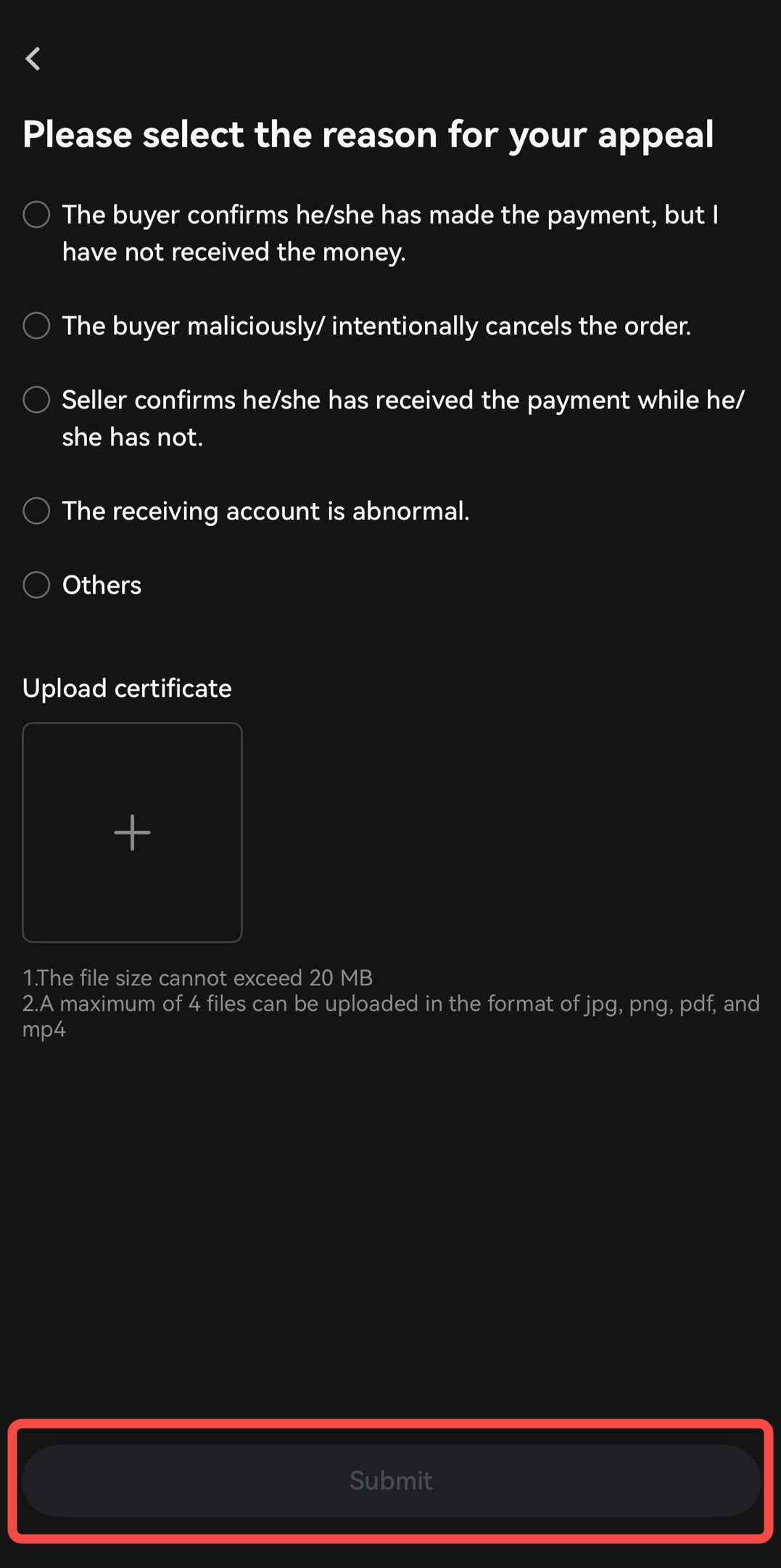
Step 4: On the appeal submission page, select the reason for your appeal and upload relevant supporting materials (e.g., payment screenshots, chat history), then click “Submit”.
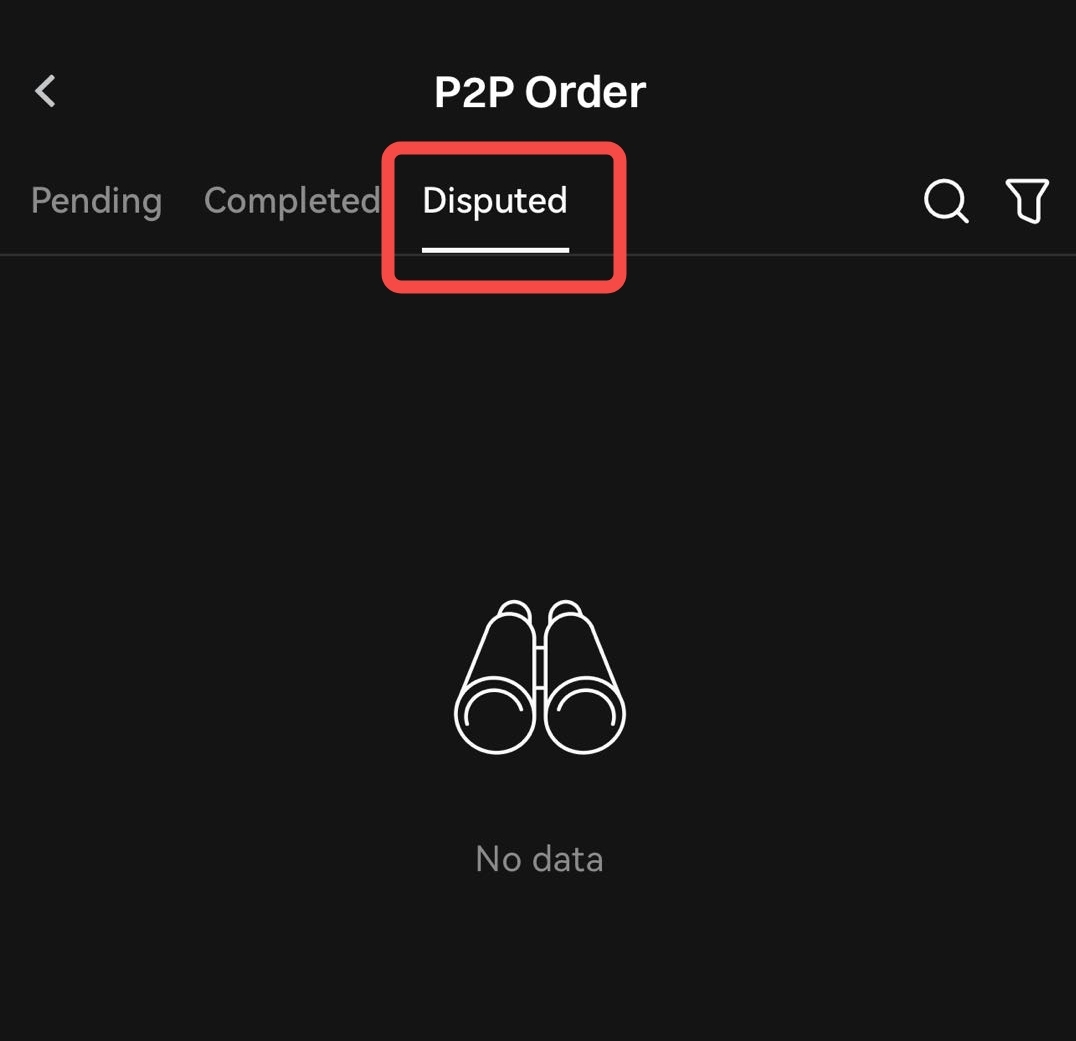
Step 5: After submission, you can monitor the appeal status via the“P2P Orders” - “Disputed”.
If the issue is resolved, you also have the option to cancel the appeal.
Note: Once your appeal is submitted, the P2P support team will review and verify the details according to the standard procedure. Please monitor the appeal page for updates and responses from the team.
Disclaimer
The content provided herein is for reference and educational purposes only and does not constitute any financial, investment, trading, or legal advice, nor does it constitute an offer or solicitation to buy or sell any digital assets. Gate makes no express or implied representations or warranties regarding the accuracy, completeness, or timeliness of the information contained herein. Product features, interfaces, rules, and fee structures may be updated or adjusted at any time. Please refer to the latest announcements and the actual information displayed on the Gate platform for the most accurate details.Digital asset investments involve significant risk, and prices may fluctuate substantially. You may lose the entire amount of your investment. Please make decisions cautiously based on your own financial situation and risk tolerance after fully understanding the associated risks. If necessary, you are advised to consult an independent professional financial or legal advisor.
For more information about potential risks, please refer to Gate's Risk Disclosure and User Agreement.
