


Applicable Scope
This guide applies to Gate App
Before you start: Ensure you have a valid government-issued ID document and a stable internet connection
Estimated time: 10 m
Objective
This guide will walk you through how to complete KYC identity verification on Gate App.
Steps
Step 1: Access the KYC Verification Page
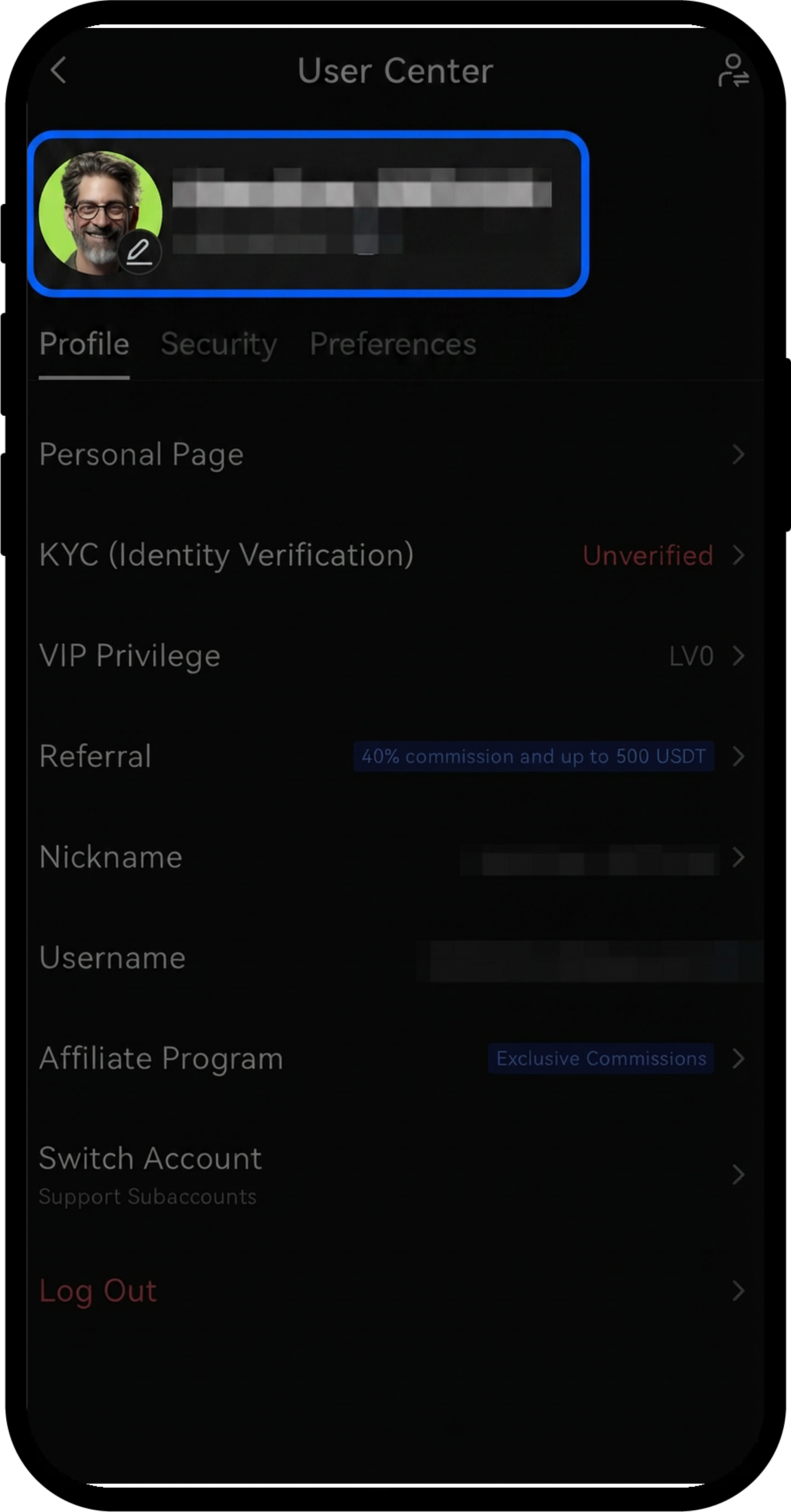
- Log in to your Gate account in the app.
- Tap the profile icon in the upper-left corner.
- Navigate to [Profile] - [KYC (Identity Verification)] - [Verify Now].
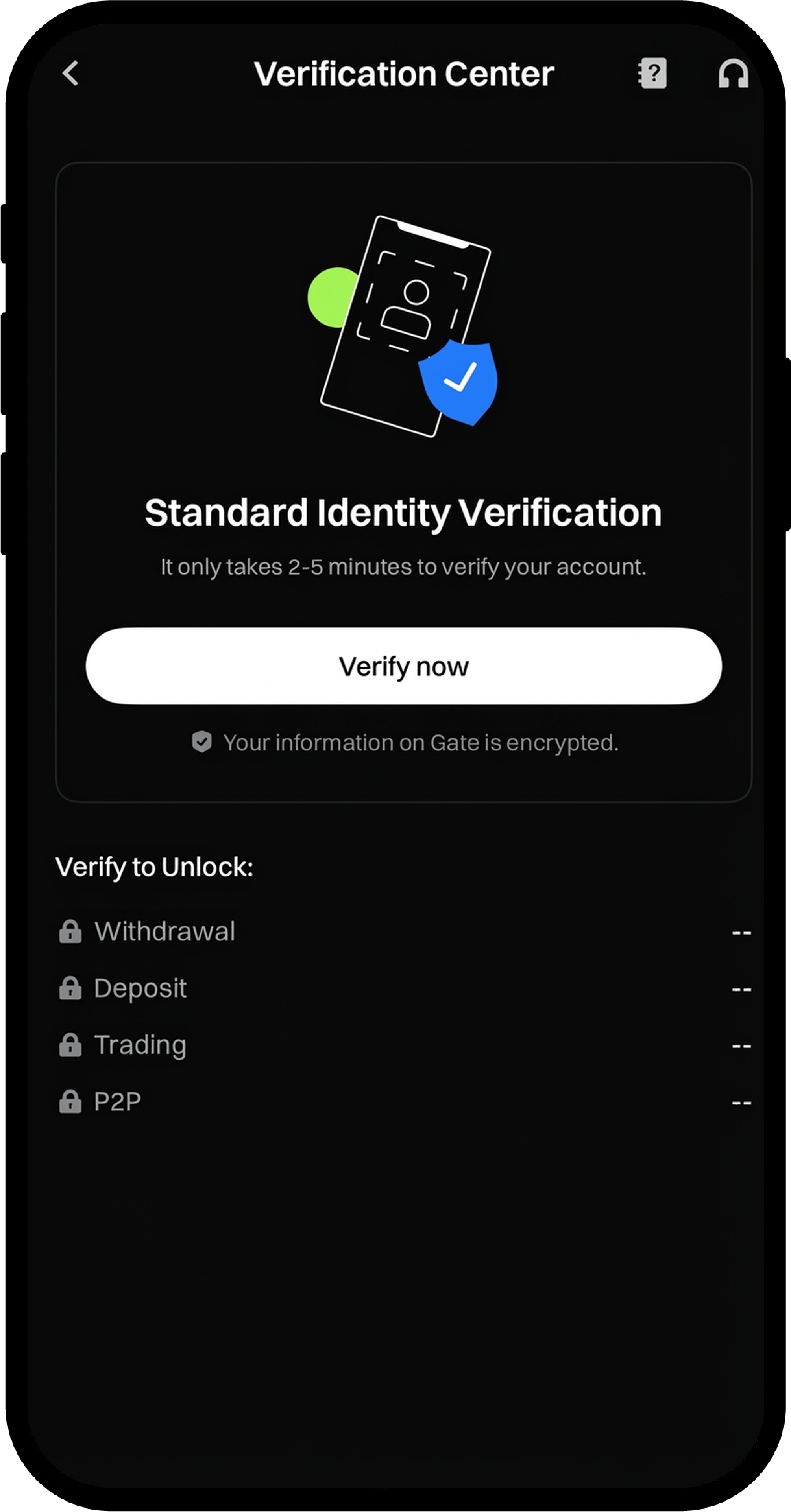
Step 2: Complete Basic Information Verification
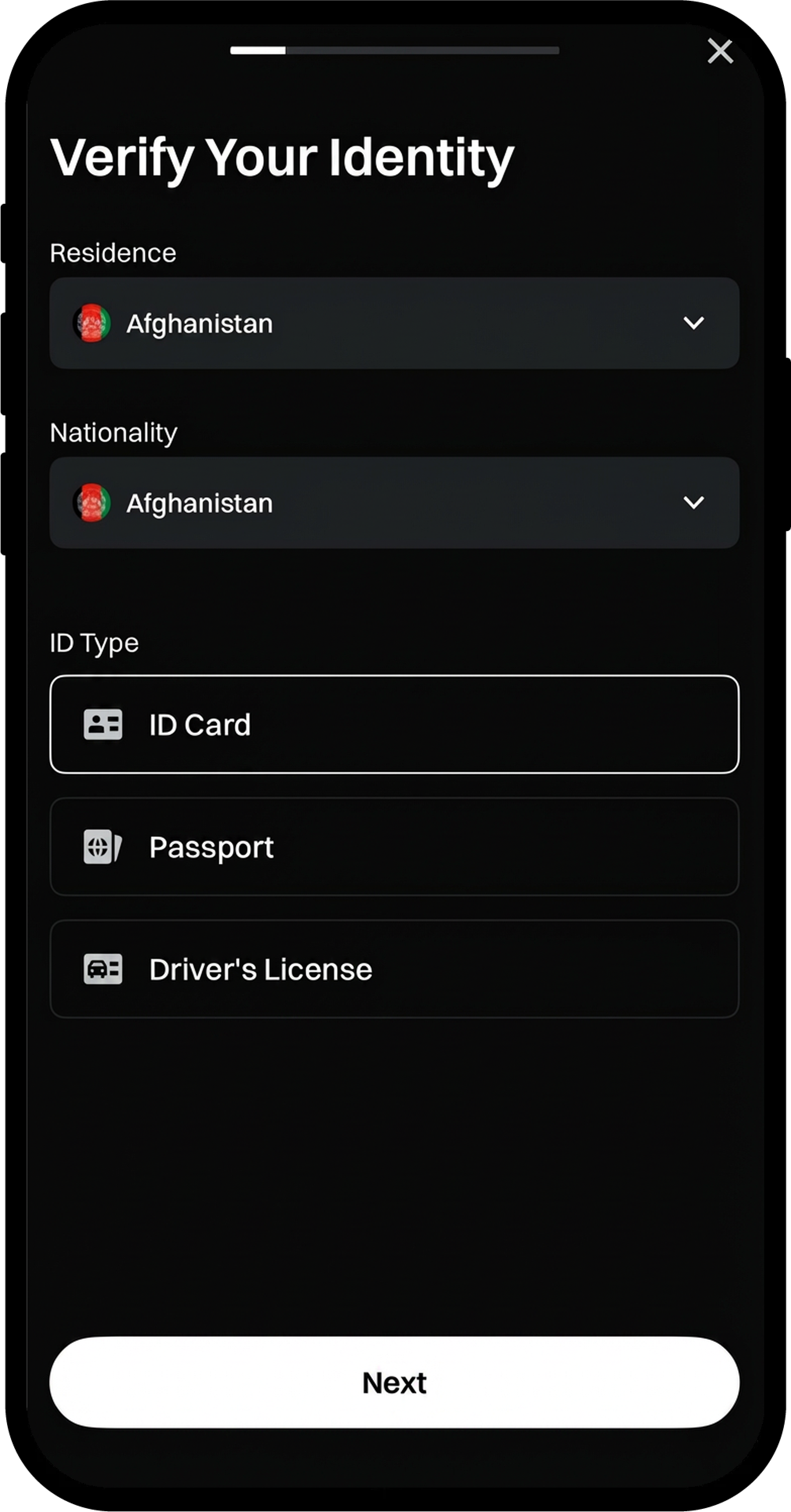
- Follow the on-screen prompts and enter your details, including:
- Residence
- Nationality
- ID Type
- Click [Next] to proceed.
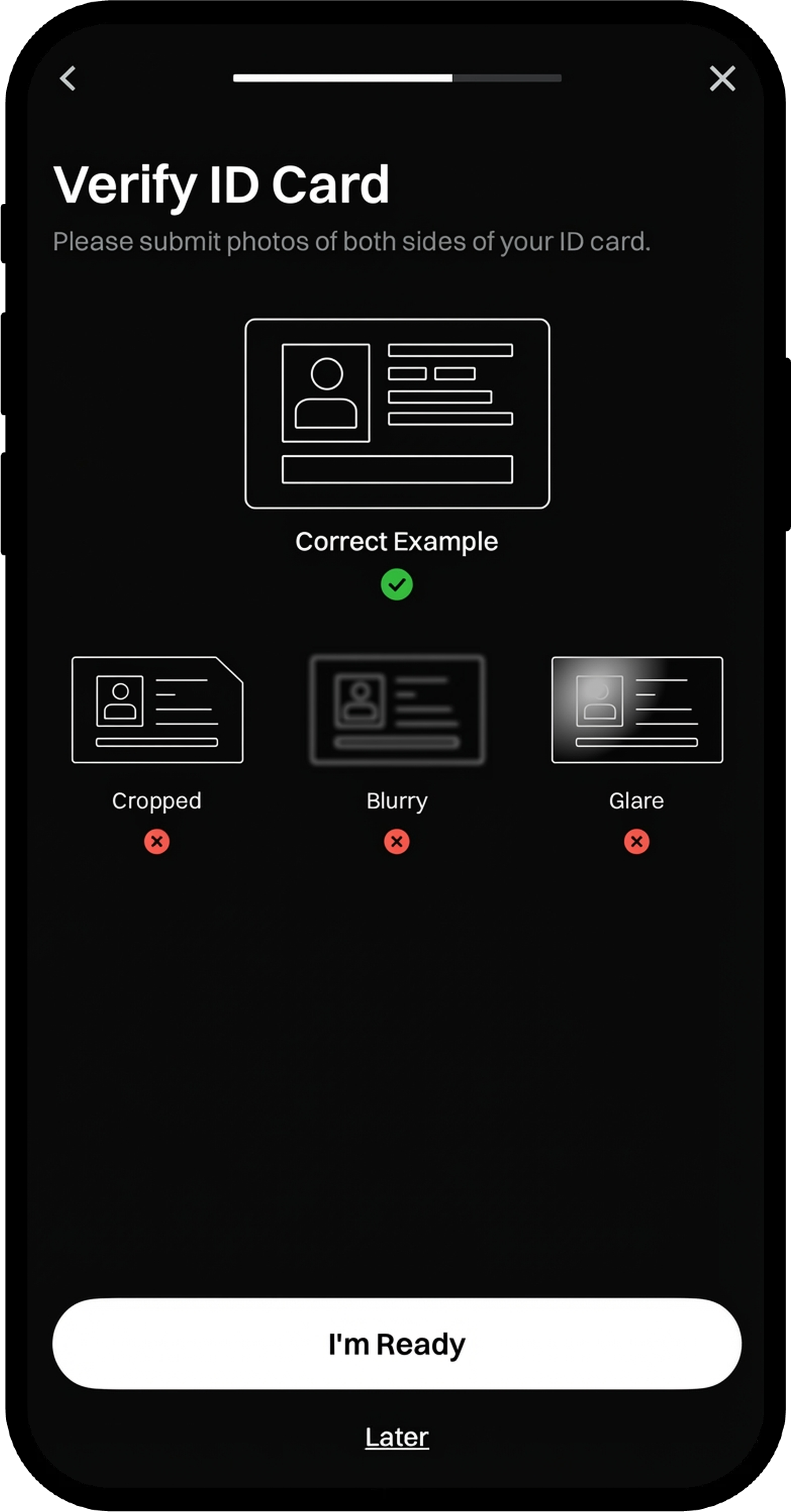
- Click [I'm Ready] to continue to the document upload process.
Step 3: Upload ID Document and Complete Face Recognition
- You will be automatically redirected to the Document Upload page.
- Upload your ID document according to the on-screen instructions.
- Complete the Face Recognition process as prompted.
- Review the recognized information (Full Name, ID Number) to ensure accuracy.
- If everything is correct, click [Next]. If modifications are needed, edit the information before proceeding.
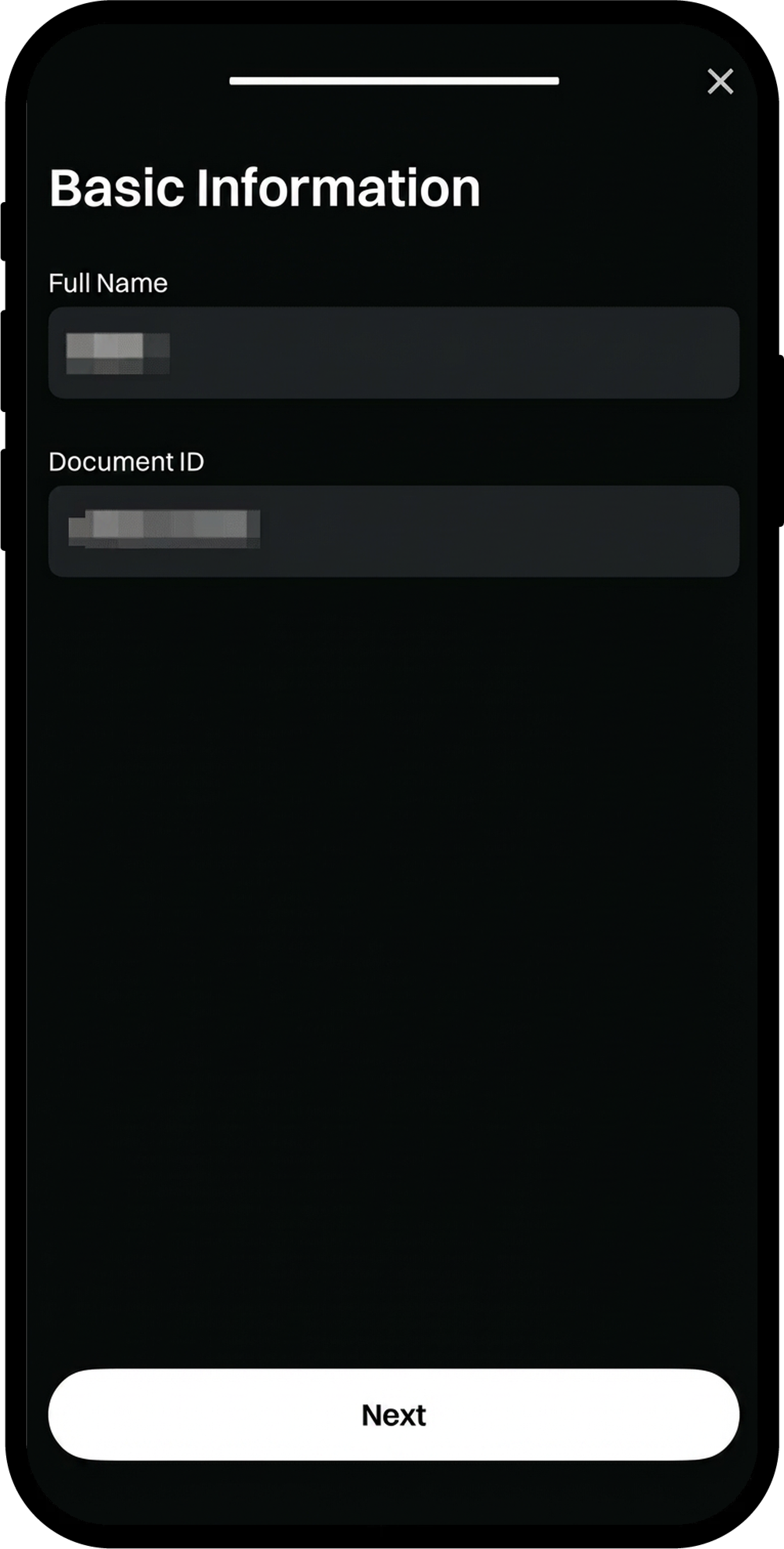
Step 4: Complete Address Verification
- After your identity verification is approved, tap [Verify Now] under the Address Verification section.
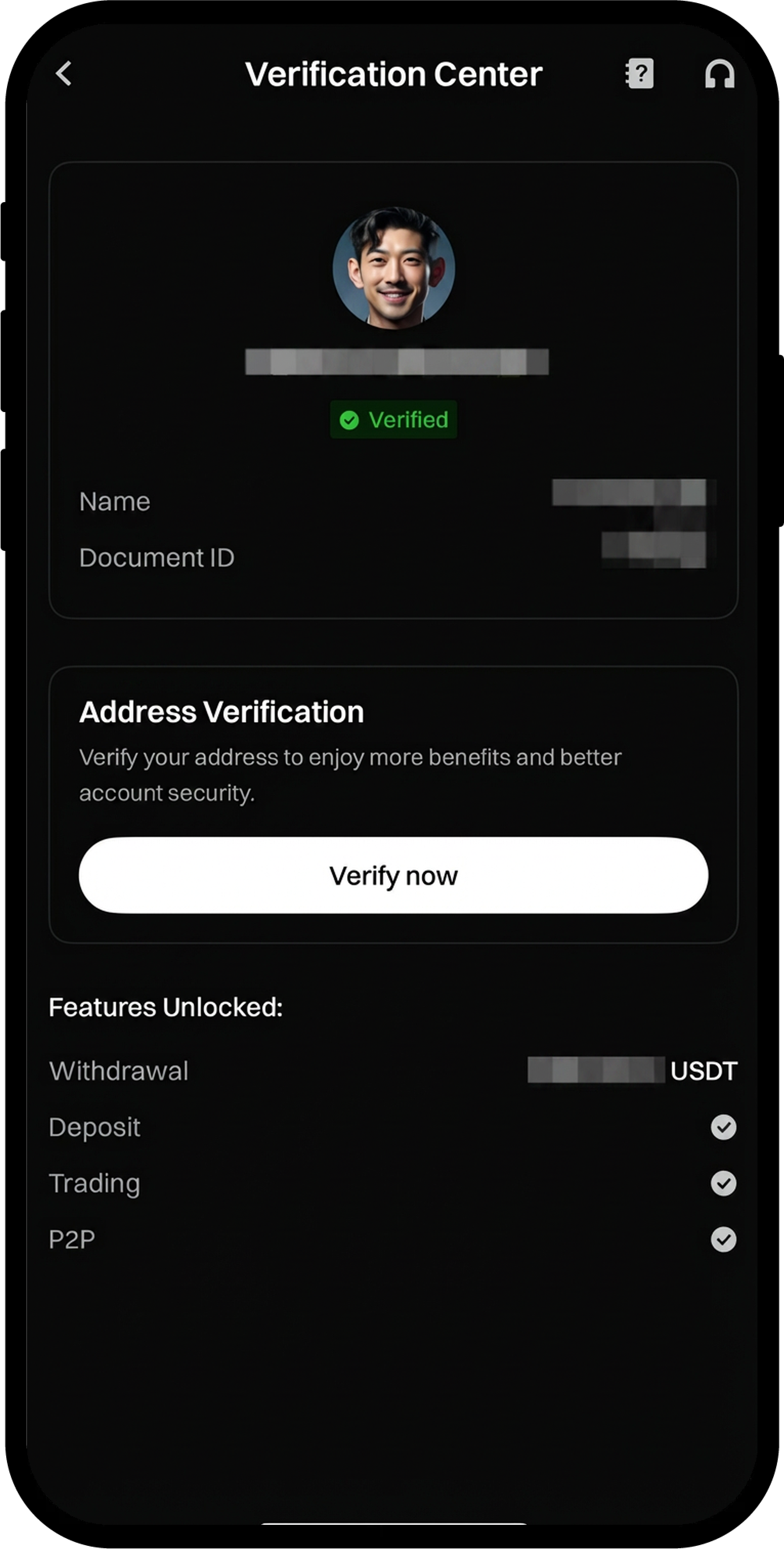
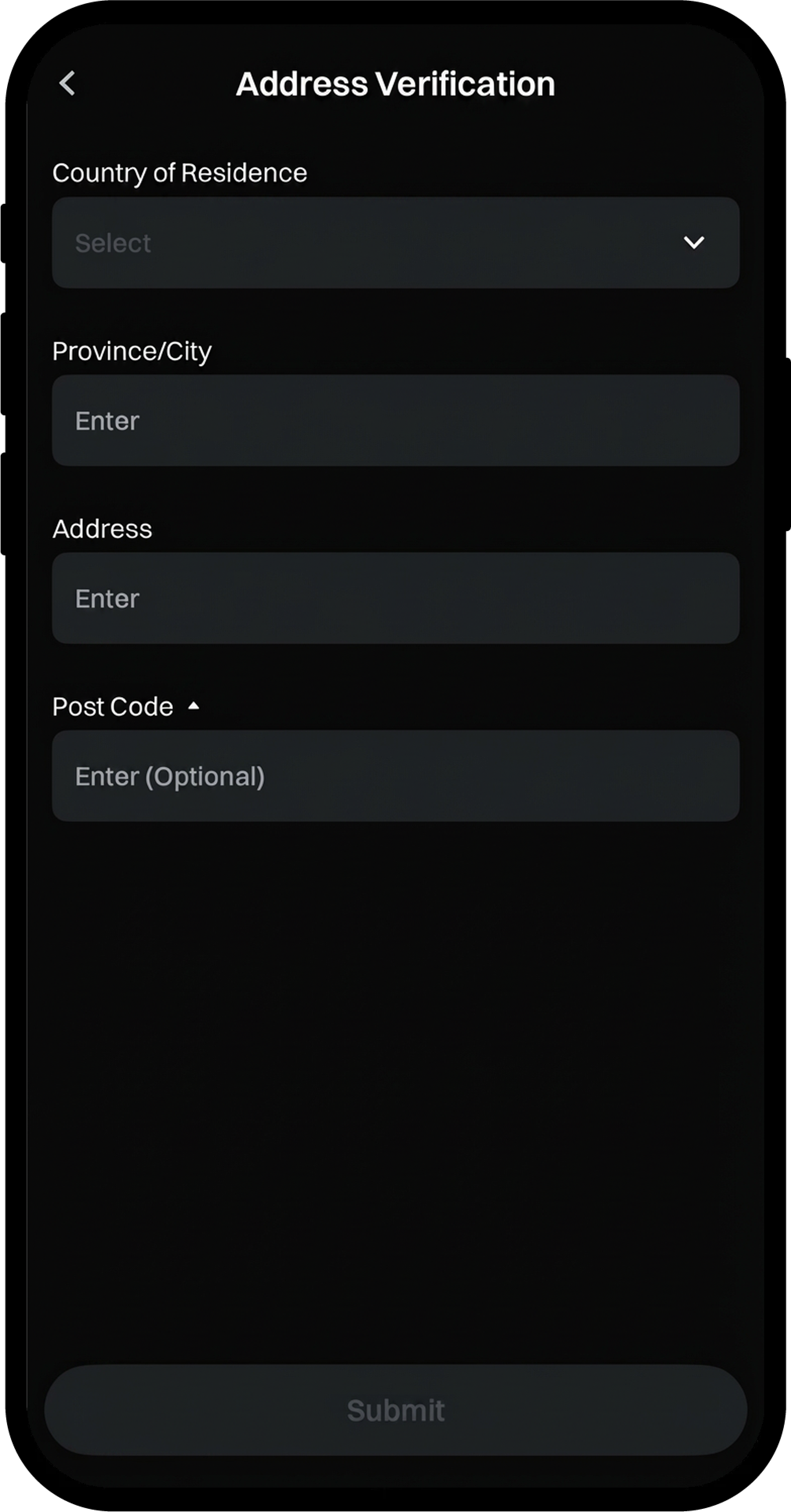
- Fill in the required address details according to the on-screen instructions.
- Confirm all information is accurate, then click [Submit].
- Wait for the verification process to be completed.
Notes
- KYC identity verification is mandatory for all Gate users to deposit and withdraw cryptocurrencies, trade fiat currencies, and participate in Startup subscriptions.
- The basic information you provide must exactly match your ID document.
- Ensure your ID document is valid and not expired.
- The verification process helps ensure asset security and regulatory compliance while reducing fraud, money laundering, and other illegal activities.
FAQ
Q1: What documents are accepted for identity verification?
A: Gate accepts valid government-issued ID documents such as passports, national ID cards, and driver's licenses. The specific accepted documents may vary by region.
Q2: How long does the verification process take?
A: The verification process typically takes a few minutes to complete, but in some cases, manual review may be required, which could take up to 24-48 hours.
Q3: What should I do if my verification is rejected?
A: If your verification is rejected, you will receive a notification with the reason. Common reasons include blurry photos, expired documents, or mismatched information. Please resubmit with corrected documents or information according to the feedback provided.
Q4: Can I trade before completing KYC verification?
A: Without completing KYC verification, your account will have limited functionality. You will not be able to deposit or withdraw cryptocurrencies, trade fiat currencies, or participate in certain platform activities.
Disclaimer
The content provided herein is for reference and educational purposes only and does not constitute any financial, investment, trading, or legal advice, nor does it constitute an offer or solicitation to buy or sell any digital assets. Gate makes no express or implied representations or warranties regarding the accuracy, completeness, or timeliness of the information contained herein. Product features, interfaces, rules, and fee structures may be updated or adjusted at any time. Please refer to the latest announcements and the actual information displayed on the Gate platform for the most accurate details.
Digital asset investments involve significant risk, and prices may fluctuate substantially. You may lose the entire amount of your investment. Please make decisions cautiously based on your own financial situation and risk tolerance after fully understanding the associated risks. If necessary, you are advised to consult an independent professional financial or legal advisor.
For more information about potential risks, please refer to Gate's Risk Disclosure and User Agreement.
